Kindle : Computer Hardware Buyers’ Glossary

The CurrCon Java Applet displays prices on this web page converted with today’s exchange rates into your local international currency, e.g. Euros, US dollars, Canadian dollars, British Pounds, Indian Rupees… CurrCon requires an up-to-date browser and Java version 1.6 or later, preferably 1.7.0_17. If you can’t see the prices in your local currency, Troubleshoot
Kindle

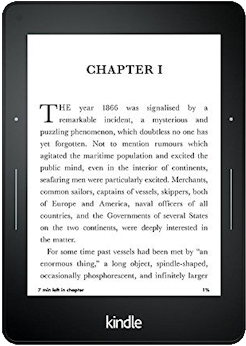
A wireless device for reading electronic books. It uses a high contrast display that looks much like ink on paper. However, the contast is not nearly as high as the competing Kobo and Sony eBook readers. I have not seen it side by side with a Nook.

Introduction eBook Creation
Advantages Costs
Disadvantages The Future
Kindle Coverage Books
Kindle Formats Links
Software Readers

Introduction

Kindle already makes up a whopping 12% of the book sale market of titles also available in Kindle form. Last revised/verified: 2009-02-22

The first things that struck me when I first saw a pair of Kindles was:

Kindles are a loss leader to sell eBooks. They cost Amazon roughly twice what they sell them for.

These Kindles are in ascending order by list price. This approximates the order of street price. Amazon insists I not display prices, fearing they will be obsolete. You can find out the prices by clicking through to the Amazon site. The 9.5” Fires are obsolete, replaced by a smaller 7” model.

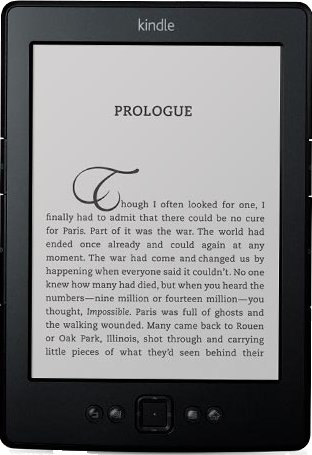
electronic product image recommend electronic⇒Kindle Basicto electronic home
asin B007HCCNJU
dim 9.10 × 12.20 cm
3.58 × 4.80 in
Basic model in black or grey. Wireless device for reading eBooks, 16 grey levels, Requires WiFi or USB access. Controlled by wiggling button. diagonal: 15.2 cm, 6.00 inches, width × height 600 × 800 pixels.
Chinese flag amazon.cn amazon.ca Canadian flag
German flag amazon.de bestbuy.ca Canadian flag
Spanish flag amazon.es newegg.ca Canadian flag
French flag amazon.fr tigerdirect.ca Canadian flag
Italian flag amazon.it amazon.com American flag
UK flag amazon.co.uk newegg.com American flag
India flag junglee.com tigerdirect.com American flag
UN flag other stores
Greyed out stores probably do not have the item in stock
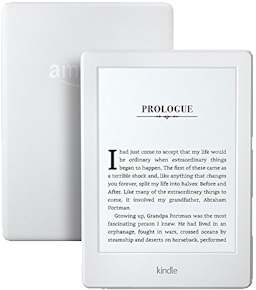
electronic product image recommend electronic⇒Kindle Paperwhite, 6”, Built-in Light, WiFito electronic home
asin B008GEKXUO
Has light, WiFi, but no 3G. Hi res touch display. The Amazon.com database shows this product as out of stock, but the online store says it is in stock. I have asked Amazon to sort it out. So far they have ignored me as they do whenever I report database inconsistencies.
Chinese flag amazon.cn amazon.ca Canadian flag
German flag amazon.de bestbuy.ca Canadian flag
Spanish flag amazon.es newegg.ca Canadian flag
French flag amazon.fr tigerdirect.ca Canadian flag
Italian flag amazon.it amazon.com American flag
UK flag amazon.co.uk newegg.com American flag
India flag junglee.com tigerdirect.com American flag
UN flag other stores
Greyed out stores probably do not have the item in stock
electronic product image recommend electronic⇒Kindle keyboard WiFito electronic home
asin B004HFS6Z0
dim 9.10 × 12.20 cm
3.58 × 4.80 in
Wireless device for reading eBooks with 6” black and white screen. Requires WiFi or USB access, no 3G. Controlled by a keyboard. diagonal: 15.2 cm, (6.00 inches), 600 × 800 pixels
Chinese flag amazon.cn amazon.ca Canadian flag
German flag amazon.de bestbuy.ca Canadian flag
Spanish flag amazon.es newegg.ca Canadian flag
French flag amazon.fr tigerdirect.ca Canadian flag
Italian flag amazon.it amazon.com American flag
UK flag amazon.co.uk newegg.com American flag
India flag junglee.com tigerdirect.com American flag
UN flag other stores
Greyed out stores probably do not have the item in stock
electronic product image recommend electronic⇒Kindle Keyboard 3Gto electronic home
asin B004HZYA6E
dim 9.10 × 12.20 cm
3.58 × 4.80 in
Only sold in the USA, but works globally. Wireless device for reading eBooks with 6” black and white screen. WiFi or USB access. Receive books via 3G cellphone towers. Controlled by a keyboard. diagonal: 15.2 cm, 6.00 inches, 600 × 800 pixels
Chinese flag amazon.cn amazon.ca Canadian flag
German flag amazon.de bestbuy.ca Canadian flag
Spanish flag amazon.es newegg.ca Canadian flag
French flag amazon.fr tigerdirect.ca Canadian flag
Italian flag amazon.it amazon.com American flag
UK flag amazon.co.uk newegg.com American flag
India flag junglee.com tigerdirect.com American flag
UN flag other stores
Greyed out stores probably do not have the item in stock
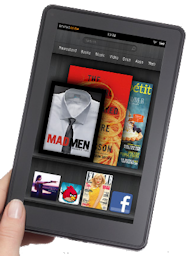
electronic product image recommend electronic⇒Kindle Fire 7”, LCD Display, WiFi, 8 GBto electronic home
asin B0083Q04IQ
dim 9 × 15.30 cm
3.54 × 6.02 in
Only available in the USA. New version of the basic Fire. Uses WiFi unlike the original which used 3G. 8Gb, colour touch screen. diagonal: 17.8 cm, 7.00 inches, 600 × 1024 pixels.
Chinese flag amazon.cn amazon.ca Canadian flag
German flag amazon.de bestbuy.ca Canadian flag
Spanish flag amazon.es newegg.ca Canadian flag
French flag amazon.fr tigerdirect.ca Canadian flag
Italian flag amazon.it amazon.com American flag
UK flag amazon.co.uk newegg.com American flag
India flag junglee.com tigerdirect.com American flag
UN flag other stores
Greyed out stores probably do not have the item in stock
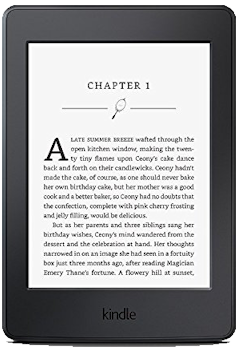
electronic product image recommend electronic⇒Kindle Paperwhite 3Gto electronic home
asin B007OZNUCE
dim 9.10 × 12.20 cm
3.58 × 4.80 in
Wireless device for reading eBooks with 6” black and white screen. Requires WiFi, USB or 3G cellphone access. Essentially a Kindle Touch with a backlight for reading in bed. Controlled by touch screen. diagonal: 15.2 cm, 6.00 inches. extra features cost less because they are ads.
Chinese flag amazon.cn amazon.ca Canadian flag
German flag amazon.de bestbuy.ca Canadian flag
Spanish flag amazon.es newegg.ca Canadian flag
French flag amazon.fr tigerdirect.ca Canadian flag
Italian flag amazon.it amazon.com American flag
UK flag amazon.co.uk newegg.com American flag
India flag junglee.com tigerdirect.com American flag
UN flag other stores
Greyed out stores probably do not have the item in stock
electronic product image recommend electronic⇒Kindle Fire 7” 3Gto electronic home
asin B0051VVOB2
dim 9 × 15.30 cm
3.54 × 6.02 in
Older model. Wireless device for reading eBooks with 7” colour screen. Receive books via 3G cellphone towers. Coverage in 100 countries. Does not work with WiFi. Controlled by a touch screen. Like a low-end Apple iPad. It is an Android device that can run apps and games. Developers program it in Java. diagonal: 17.8 cm, 7.00 inches, 600 × 1024 pixels.
Chinese flag amazon.cn amazon.ca Canadian flag
German flag amazon.de bestbuy.ca Canadian flag
Spanish flag amazon.es newegg.ca Canadian flag
French flag amazon.fr tigerdirect.ca Canadian flag
Italian flag amazon.it amazon.com American flag
UK flag amazon.co.uk newegg.com American flag
India flag junglee.com tigerdirect.com American flag
UN flag other stores
Greyed out stores probably do not have the item in stock
electronic product image recommend electronic⇒Kindle Fire HD 8.9”, Dolby Audio, Dual-Band WiFi, 16 GBto electronic home
asin B008GFRE5A
dim 12 × 19.20 cm
4.72 × 7.56 in
Only available in the USA. 32 GB version also available. diagonal: 22.6 cm, 8.90 inches, 1200 × 1920 pixels.
Chinese flag amazon.cn amazon.ca Canadian flag
German flag amazon.de bestbuy.ca Canadian flag
Spanish flag amazon.es newegg.ca Canadian flag
French flag amazon.fr tigerdirect.ca Canadian flag
Italian flag amazon.it amazon.com American flag
UK flag amazon.co.uk newegg.com American flag
India flag junglee.com tigerdirect.com American flag
UN flag other stores
Greyed out stores probably do not have the item in stock
electronic product image recommend electronic⇒Kindle DXto electronic home
asin B002GYWHSQ
dim 13.90 × 20.30 cm
5.47 × 7.99 in
Wireless device for reading eBooks with black and white screen. Receive books via 3G cellphone towers. Coverage in 100 countries. Does not work with WiFi. Controlled by a keyboard. diagonal: 824 × 1200 pixels.
Chinese flag amazon.cn amazon.ca Canadian flag
German flag amazon.de bestbuy.ca Canadian flag
Spanish flag amazon.es newegg.ca Canadian flag
French flag amazon.fr tigerdirect.ca Canadian flag
Italian flag amazon.it amazon.com American flag
UK flag amazon.co.uk newegg.com American flag
India flag junglee.com tigerdirect.com American flag
UN flag other stores
Greyed out stores probably do not have the item in stock

Advantages

Disadvantages

Kindle Coverage

Kindles used to work only in parts of the USA. Now they work world wide, wherever 3G cellphone coverage is advised. See this map of world coverage. The kindle holds enough books for a lifetime of reading, so you can load them up where there is coverage to read off in the jungle. With WiFi (Wireless Fidelity), the kindle will work anywhere in the world there WiFi is Internet access, e.g. Internet Cafés anywhere in the world.

Kindle Formats

Kindle is quite limited in the formats of book it can display. It supports only ISO-8859-1 encoding, so has only limited support for non-English. It supports Mobipocket format (.MOBI, .PRC), plain text files, PDF and Amazon’s proprietary, copy-protected AZW format. eBook, Word, HTML etc. have to be converted before use.

Sony E-Book Readers

Sony makes a line of nine eBook reader models. They do not support Kindle format, but they do support Adobe PDF, Microsoft Word, BBeB Book (Sony’s previous proprietary format) and other text file formats, as well as ePub/ACS4 and connection with Adobe Digital Editions. You can even play back unsecured Mp3 and AAC (Advanced Audio Coding) audio files (headphones required and sold separately).

DjVu format has advanced compression technology that makes it very good at handling high resolution images of scanned documents and photographs. With DjVu you can take a 300 DPI (Dots Per Inch) high resolution scan and store it in less than 100 KB.

ePub is an open format. Kindle AZW is proprietary to Amazon. AZW is MOBI plus weak copy protection. Apple eBook stores use ePub format. BlackBerry uses MOBI format. All else being equal, open: good, proprietary: bad. The two most important formats to create are MOBI and ePub. Apple currently has book-reading software for its iPhones and iPads.

Software Readers

If you don’t have the money for a Kindle or Sony, you can still read eBooks on your computer. There are three basic kinds of readers:

eBook Creation

The tools I found most useful were the free eCub to create an ePub format eBook then convert it to the kindle MOBI format with Online-ConVert, a free service to interconvert formats. The kindlegen MOBI creator auxiliary program for eCub is buggy.

ePub format is just your tree of HTML zip compressed with a few extra XML (extensible Markup Language) documents to provide a table of contents toc.ncx, meta-information about the eBook content.opf and a manifest container.xml. Kindle’s AZW and mobipocket are similar. To troubleshoot, you can unzip your eBook or others known to verify properly.

Before you even think about converting your website to eBook format, convert it to strict XHTML 1.1, and validate it. Use this DTD (Document Type Definition):

You will have to replace old HTML tags and replace them with CSS (Cascading Style Sheets) equivalents.

Then, if you have any sort of macros or dynamic content, create versions of them that generate stripped down vanilla text. You can’t put tags directly into <body>. You must contain them in something such as <div> You will discover many bulk transforms you have to do, and macros will make that much easier. Further, you can use your macros to put the code back to normal after you have created your eBook.

Jutoh

Jutoh was the best behaved editor. It generates multiple formats. If your files change, you have to reimport, which basically makes you start over. You have to redelete files and images you don’t want to include and correct the order. When you import, it copies all the text into one giant binary file. You are probably best to write a bat file that copies just the files you want to a directory tree, and reimport from that. Ideally it would just reimport the files it already had, remembering what you had deleted. Oddly, it does not handle tables, something other simpler program do, though there in a general purpose kludge to import HTML unmodified.

eCub

I found the eCub program easy to use. You dump your entire directory tree in a project directory, write bat file to prune it of anything you don’t want included in the eBook (e.g. sitemaps, perhaps the index.html page…) and it finds all the HTML and image files. It creates the table of contents from the title in the HTML header. It generates forward and back navigation buttons. It builds a simplified miniature style sheet. It strips your HTML and put it in a build directory in a tree of files matching the original. Then it zips it up. You don’t find out about your errors until you run the verifier after the ePub file is constructed.

Maximize eCub before use, or various features for adding, removing and reordering files will not be visible.

You can force eCub to notice your changes by deleting all files in the build directory,placing the replacements in the project directory and recompiling. To change which files are included you must manually edit the list of files in the eCub GUI (Graphic User Interface).

eCub via Kindlegen does a terrible job of converting the ePub file to mobi format. Use Online-convert instead. It does a much better job.

Mobipocket Creator

MobiPocket eBook creator is a free program to take your HTML or a few other formats and convert them to *.prc eBook format. I was not impressed and quickly gave up on it in favour of eCub.

I found I needed to strip out all the fancy HTML, navigation buttons, ads, JavaScript etc. Otherwise it crashed. I did my headings with simple <h1, <h2 and <h3. It is easiest to collect the pages you need with drag and drop. You have to add them one document at a time.

It can build you a 3-level Table of contents.


Tag name Attribute Value
First Level:
class title
Second Level: h2

Third Level: div class level3

In the example above, major headings are marked with <span class=title>…</span>.
The second level are marked <h2>…</h2>
The third level are marked <div class=level3>…</div>

It is simplest just to use <h1, <h2 and <h3 Note you specify the tags without the <>

The program itself is quite cryptic. Try reading the online documentation.

I could not get it to do anything but the simplest, short test documents.

Costs

There are a number of reasons why eBooks are so much cheaper than paper-based books:

Amazon originally set the price of eBooks at $10 or under. At this rate, publishers still make more profit than they did with the equivalent paper book. Barnes & Noble decided customers would tolerate prices up to $12. Then the publishers noticed that libraries were a special case:

So the publishers said they wanted to charge libraries in the order of $90 for ebooks. The libraries are screaming.

To keep things interesting, the US Department of Justice sued Apple, Hachette, HarperCollins, Macmillan, Penguin and Simon & Schuster for price fixing eBooks.

Most of the classics of science and literature are available for free. Darwin, Plato, Tolstoy, etc. if its no longer under copyright and if its a significant work its been put up for free by the Gutenberg project and is available in Kindle and iBook format. One of the first things I read on the Kobo was The Prince by Machiavelli.

The Future

I think the libraries should have all eBooks ever published on tap maintained at websites run by the publishers. They could lend them out for approximately $0.25 each. They remit one cheque a month for all rentals which gets distributed proportionately to the publishers. The borrower can also buy the book from the publisher. In that case the library gets a 7% commission, which just goes on the account. All a library then needs is some space on a web server. Libraries no longer need buildings or real-estate, except for small specialised collections. The purpose of a library will change from storing books to recommending books. The distinction between a bookstore and a library and a book-recommending website like mine would blur. You would pay to borrow eBooks from a bookstore or a website, but probably not from a library.

Books

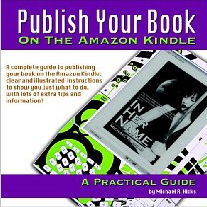
book cover recommend book⇒Publish Your Book On The Amazon Kindle: A Practical Guideto book home
by Michael R. Hicks 978-1-4404-5694-7 paperback
birth 1963 age: 49 B001KYG5AY kindle
publisher CreateSpace
published 2008-11-14
A practical guide to publishing your book for the Amazon Kindle.
Australian flag abe books anz abe books.co.uk UK flag
Chinese flag amazon.cn amazon.co.uk UK flag
German flag abe books.de abe books.ca Canadian flag
German flag amazon.de amazon.ca Canadian flag
Spanish flag amazon.es Chapters Indigo Canadian flag
Spanish flag iberlibro.com abe books.com American flag
French flag abe books.fr amazon.com American flag
French flag amazon.fr Barnes & Noble American flag
Italian flag abe books.it Google play American flag
Italian flag amazon.it O’Reilly Safari American flag
India flag junglee.com Powells American flag
UN flag Kobo Sony eBooks American flag
UN flag other stores
Greyed out stores probably do not have the item in stock. Try looking for it with a bookfinder.
book cover recommend book⇒Plug Your Book! Online Book Marketing for Authors, Book Publicity through Social Networkingto book home
by Steve Weber 978-0-9772406-1-6 paperback
publisher Weber Books B001NPD2AQ kindle
published 2007-02-25
How to plug/market your eBook without spending a lot of money.
Australian flag abe books anz abe books.co.uk UK flag
Chinese flag amazon.cn amazon.co.uk UK flag
German flag abe books.de abe books.ca Canadian flag
German flag amazon.de amazon.ca Canadian flag
Spanish flag amazon.es Chapters Indigo Canadian flag
Spanish flag iberlibro.com abe books.com American flag
French flag abe books.fr amazon.com American flag
French flag amazon.fr Barnes & Noble American flag
Italian flag abe books.it Google play American flag
Italian flag amazon.it O’Reilly Safari American flag
India flag junglee.com Powells American flag
UN flag Kobo Sony eBooks American flag
UN flag other stores
Greyed out stores probably do not have the item in stock. Try looking for it with a bookfinder.
Acrobat
Adobe Indesign: expensive tool to prepare eBooks
Amazon kindle support
Android
audible.com: audible books for Mp3 player
Calibre: to manage an eBook collection. Convert formats. Download news
Compare e-readers
Compare Kindle models
E-book conversion utilities
e-ink
eBook
eCub: to prepare simple eBooks such as novels
Epub 3 spec
ePub format specifications
ePub reader for Firefox
FullBooks.com
google ePub toolkit: to prepare eBooks
Google Play
Jutoh: editor to prepare eBooks
Kindle Books on Kindle Publishing: free to $5
Kindle Coverage
Kindle Cracker: student project
Kindle in Australia
Kindle Negatives
Kindle Technical Overview
KoBo
Lulu
Lulu conversion service: to prepare eBooks
MobiPocket eBook creator: free, for PC, home edition
MobiPocket eBook creator: free, for PC, publisher edition, creates copy-protected books
MobiPocket eBook reader: free, for PC
Nook: Barnes & Noble eBook reader
online book publishing
online bookstores
Online-ConVert: free service to interconvert formats
overview of ePub format
PDF
Personal Bookshelf
Project Gutenberg
Publishing an E-book at Lulu
Safari online and eBooks
self publishing
Self Publishing at Amazon
Sony eBook Reader
Sony eBook store
TechBookReport
Trafford
Wattpad: 100,000 free eBooks for BlackBerry
Wikipedia on Kindle

CMP homejump to top

available on the web at:

http://mindprod.com/bgloss/kindle.html
  

optional Replicator mirror
of mindprod.com
on local hard disk J:

J:\mindprod\bgloss\kindle.html
logo
Please email your , letters to the editor, errors, omissions, typos, formatting errors, ambiguities, unclear wording, broken/redirected link reports, suggestions to improve this page or comments to Roedy Green : feedback email. If you want your message, your name or email kept confidential, not considered for public posting, please explicitly specify that. Unless you state otherwise, I will treat your message as a letter to the editor that I may or may not publish in the feedback section. After that, it will be too late to retract it. If you disagree with something I said, especially when sending an ad-hominem attack, a rant composed mainly of obscenities or a death threat, please quote the offending passage and cite the web page where you found it, tell me why you think it is wrong, and, if possible, provide some supporting evidence. I can’t very well fix erroneous or ambiguous text if I can’t find it.
no blog for this page
IP:[65.110.21.43]
Your face IP:[107.20.7.65]
You are visitor number 11.