
Internationaliser
©1996-2017 Roedy Green of Canadian Mind Products
This essay is about a suggested
student
project in Java programming. This essay gives an overview of how it might work. It
does not describe an actual complete program. Unlike most of my student projects, I am
in the process of implementing this one myself. I am developing a specification for it
here. If you are interested in the final product when it is ready, please let me know.
Internationaliser Overview
The goal of this project is to create a
multi-user tool to internationalise computer programs to allow them to run in a variety
of languages. It requires writing several types of code:
- Servlets that accept serialised objects over a socket and uses them to do
SQL (Standard Query Language) updates.
- a multithreaded GUI (Graphic User Interface) client
- SQL database
code
- simple parser to import the Strings to be translated.
- generator to export the bundle.properties files.
This project might be a suitable team project.
How It Works
Programmers use ResourceBundles in their code. They code like this:
okButton = new JButton( myResources.getString( "OkButtonLabel" ));
getString looks up the key OKButtonLabel to get the localised string for the button in the current
locale/language. American English is considered a different language from Canadian
English. Both are treated identically to the foreign languages. A ResourceBundle handles the translations for one class, a part of a class
or several classes, for one language. Java is clever enough to select the best fit
ResourceBundle for the given country and language locale.
Professional translators, living anywhere on the planet provide translations in
various languages for the key.
An SQL database
coordinates everything, allowing simultaneous access by programmers and translators. It
also allows custom reporting, custom administration tasks, ad-hoc database correction,
and additional fields added to the various tables for custom applications.
To be fully international, the database is stored in UTF-8 format. The source code is presumed to be stored in UTF-8. The
bundle files are 8859_1 encoding with special \uxxxx encodings for Unicode, as per Oracle
specifications.
Terminology
- Bundle
- A class or properties file that handles the translation to one locale —
language/country/variant combination. The whole point of this project is to create
these bundle properties files.
- drill down
- To navigate a tree from the root to the leaves, choosing ever finer level of
detail, e.g. first task, then within that project, then within that resource bundle,
then within that locale, then within that translation item.
- locale
- A triple, language, country and variant, using the ISO codes, where the country and
variant can be left blank, e. g. sr_YU_CYR for Serbian spoken in Yugoslavia.
- project tree
-
You can think of a project as like a taxonomy tree with 4+ levels, a way for the
administrator or a proofreader to get an overview of the work:
- project
- ResourceBundle
- translation item. The key itself can contain dots which defines further levels
of hierarchy.
- locale(language/country/variant)
the user can navigate the tree, gradually opening up detail to find any
translation item.
- ResourceBundle
- A set of classes/properties files that share the same base name and the same set of
translation keys. Typically a ResourceBundle would handle the all the
language/country/variant translations for one package or one class.
- task
-
A unit of work to be completed by a translator or a proofreader. Most commonly it
would be all the translations for a given bundle. However, it could be a subset of
the items in a bundle, or it could contain items from several different bundles. A
translator may have several different outstanding tasks and can choose which one to
work on. There may be several people assigned to the same task. A translation item
may appear in several different tasks. Tasks only apply to translators and
proofreaders, not programmers. Programmer task scheduling needs something much more
elaborate like Jira.
- task tree
-
You can think of task as like a taxonomy tree with 5+ levels, a way to organise the
work for a single translator:
- task
- project
- ResourceBundle
- locale/bundle (language/country/variant)
- translation item. The key itself can contain dots which defines further levels
of hierarchy.
the translator can navigate the tree, gradually opening up detail to find any
translation item. Note how the last two levels are reversed from the way the Project
view shows them. Here is a rough simulation of how it will work. Try double clicking the
 node folder icons or clicking the
 node handle icons. In the real system, each project will have its own icon and each locale will be represented by a
 flag or similar symbol.
- translation item
- One translation of a key and its translation into one particular language/locale,
and the associated comments.
- translation key
- Java translates from a short string to the appropriate locale text. The short
string is the translation key, e. g.
The key can contain dots. These indicate levels of hierarchy.
SQL Database Tables
These SQL
tables have been defined for MySQL 5.0 for my own implementation:
People SQL table
information about translators, proofreaders and
programmers.
Roles SQL table
Information on capabilities of people as
translators, proofreaders and programmers. This duplicates information in the people
table, but it is required for Tomcat authentication.
Projects SQL Table
a product that requires internationalisation.
Project Locale SQL
Table
the locales that will could potentially get translations for this project.
Resource Bundles SQL
Table
a group of translations to be done for all languages.
Bundle SQL Table
a group of translations to be done for a
particular locale/language.
Context SQL Table
Screenshot and thumbnail of the translation in
context.
Comments by a programmer about a particular translation item. Applies to all
locales.
Comments by a translator or proofreader about a particular translation item in
particular locale/language.
Translation SQL
Table
Individual items to be translated.
Task SQL Table
What blocks of work are there to be done?
Task Item SQL Table
What work is each task composed of?
Assignment SQL Table
Who is assigned which tasks?
Components
- The Manager handles the administrative records in the
database, such as records for each translator, each project and each bundle.
- The Import can extract the translation keys, programmer
comments and associated ResourceBundle names from the Java
source code. The Parser is a command line utility where you specify: the name of the
project, ResourceBundle and directory tree to be scanned for source files. The
extracted data goes straight into the database. Import can also import a bundle.properties file, which contains translations done through some
means other than this program.
- The Export can go through the database and create the
ResourceBundles for a given project. The generated resource
bundles are deposited into a file tree organised by
project/package/ResourceBundle/locale. From there, programmers can copy them into their
debugging or production trees. Export is a command line utility where you specify
simply the name of the project, to generate the whole project or project and
ResourceBundle to regenerate just one ResourceBundle.
- The Reporter gives status of a project so that you can
see at a glance just what translating/proofreading work still needs to be done. It is a
GUI that lets
you see summary stats for either a particular project, a particular resource bundle,
a particular bundle or particular task. The screen might look something like this:
Reporter
user: RG bundle: com.mindprod.nova.HybridVehicles language: sr country: YU variant:CYR
Reporter mockup
| Complete |
Count |
Stage |
Meaning |
|---|
|
20 |
U |
count of how many translation items in the group are still Untranslated. |
|
0 |
? |
count of how many translation items in the group are still unsure. |
|
321 |
T |
count of how many translation items in the group are Translated, but not yet proofread. |
|
3 |
P |
count of how many translation items in the group are Proofread individually but not yet in context. |
|
12 |
C |
count of how many translation items in the group are Complete, proofread both individually and in context. |
|
359 |
any |
Total translation items in Group. |
- The Editor lets a translator see what work she has to do,
then select a ResourceBundle and locale to work on. She will
see the translation keys and the language she is translating into, along with the
comments from programmers, translators and proofreaders about each line. If she wants
to compare translations in two languages at once, she will run two copies of the
editor, each working on a different language, tiled on screen to make them
simultaneously visible. She can then edit the translations or add comments. In the
background as she is keying, the JWS (Java Web Start)
application sends the data field by field over a socket to a the server as
HTTP (Hypertext Transfer Protocol)
POST transactions which then updates the database. There is a multithreaded queue
mechanism so that no matter how fast she types she does not have to wait for the
transmissions to and from the database to catch up. Her JWS
program every 60
seconds (globally configurable) or automatically puts in a query to the database for
any recent changes made by others. These appear on her screen automatically. She can
sort by the various columns to make it easy to find items yet to translate,
questionable items etc.
The screen might look something like this:
Translation Editor: Single Language View (multiple
keys)
user: RG bundle: com.mindprod.nova.HybridVehicles language: fr country: FR variant:__
Translation Editor mockup
⇑
Stage
⇓ |
⇑
Key
⇓ |
⇑
Translation
⇓ |
⇑
Comments
⇓ |
⇑
Prg
⇓ |
⇑
Trn
⇓ |
⇑
Prf
⇓ |
⇑
Changed
⇓ |
|---|
| ? |
About |
A propos de l’application |
DRF: {Application} (item in Help menu)
RAJ: à grande vittesse, s’il vous plait.
We need this by Monday.
RG: Is this too long? |
DRF |
RG |
__ |
2006-01-12 |
| T |
Apply |
Appliquer |
DRF: button |
DRF |
RG |
__ |
2006-01-12 |
| P |
Cancel |
Annuler |
FR: Yes, use infinitive, not imperative. |
DRF |
RG |
FR |
16:00 |
| U |
Continue |
__ |
DRF: button in Error alert box |
DRF |
__ |
__ |
2005-12-31 |
| ? |
Hit F4 to stop |
Appuyer sur la touche F4 pour arreter. |
DRF: function key
RG: hit or press and hold? |
DRF |
GRH |
__ |
2005-12-01 |
stage codes
Explanation of stage codes
| Stage Code Legend |
|---|
| Code |
Meaning |
|---|
| U |
Untranslated |
| ? |
unsure of translation |
| T |
Translated |
| P |
Proofread |
| C |
Complete | |
Explanation of Sort controls
| Sorting Code Legend |
|---|
| Code |
Meaning |
|---|
| ⇑ |
ascending sort on this column |
| ⇓ |
descending sort on this column |
|
For Comments, sort is by date/time of most recent comment. |
|
The red arrow indicates how things are sorted right now. | |
The translator can enter data in the brown areas. The blue areas are
read-only. Prg is the programmer. Trn is the translator. Prf is the proofreader. My
goal is to use screen real estate efficiently. The date/time of the last update shows
as a date for previous days, but as 24-hour local time for today’s changes.
Translation Editor: Multi-Language View (single key)
Translation Editor mockup
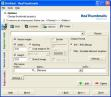 |
user: RG bundle:
com.mindprod.nova.HybridVehicles
key: about |
Translation Editor mockup
⇑
Stage
⇓ |
⇑
Locale
⇓ |
⇑
Translation
⇓ |
⇑
Comments
⇓ |
⇑
Prg
⇓ |
⇑
Trn
⇓ |
⇑
Prf
⇓ |
⇑
Changed
⇓ |
|---|
| T |
de_DE |
Anwendungsinfo |
DRF: button |
DRF |
RG |
__ |
2006-01-12 |
| ? |
fr_FR |
A propos de l’application |
DRF: button
RAJ: à grande vittesse, s’il vous plait.
We need this by Monday.
RG: Is this too long? |
DRF |
RG |
__ |
2006-01-12 |
| P |
it_IT |
Informazioni sull’applicazione |
DRF: button
FR: Yes, use infinitive, not imperative. |
DRF |
RG |
FR |
16:00 |
- SQL database. It has quite light duty so could run on
a development machine. It does not need a dedicated server or high performance. It
needs access to the Servlet Womb. The presumption there is an administrator capable of
installing MySQL and dealing with database backup and recovery. This tool is aimed at
teams, not individuals, so this is a reasonable assumption.
- Translation Server. This will be a Servet Womb, e.g.
Tomcat. Adjustments need to be made to deal with installing and running under other
Servlet Wombs. The presumption there is an administrator capable of installing the
servlet womb and installing the Internationaliser jars into it.
Walk Through
The Administrator uses the Manager to set up the database records for the project and the various
bundles and locales it will use. He sets up the database records for the various
translators who will be working. Finally, he assigns various bundles to various
translators.
Now we run the Parser on the various source code bases to
extract the translation keys and programmer notes.
The administrator runs the statistic Report on the project
to make sure all the bundles have some translation keys.
The translators start working translating into the various locales using the
online/offline Editor.
The administrator can see how things are going by running the statistics Report for the project. He can see how many strings are yet to be
translated for each bundle.
The administrator runs a Generate to create the bundles,
possibly incomplete. Programmers propagate these *.properties
files to the appropriate places for testing.
The administrator also runs a Inserter to insert the
translator’s comments back into the Java source code.
The programmer’s add comments and perhaps change translate key names in order
to make it clearer to the translators what is required. They do this with their ordinary
programming tools.
The administrator runs another Parser run to extra the latest translate keys and
programmer comments from the source.
All the while translators are continuing to polish their work.
Optionally you may have some translators acting as proofreaders, proofing either the
raw translations or checking them out in the context of the finished program and
updating the database with the latest status. Translators and proofreaders communicate
can leave notes for each other in a field attached to each translation.
The translators will see the new programmer comments and can modify translations.
This process of Parse, Edit, Report, Insert and Generate can happen over and over in
any order as the translations are completed and polished. You can even run all these
steps simultaneously.
Eventually the programmers insert the generated bundles into the final build.
The Manager
Only people with administrator capability can run the
Manager.
Manager : People
You will see a grid of existing people, much
like a spreadsheet. The top line is blank where you can add the information for a new
person. See the people table above. You can edit the information in the grid to update
any existing person. You cannot change the initials. To delete a person, you must confirm
that all record of that person having translated various strings will be lost forever,
even though the translations themselves will not be. All people in the system will always
be visible or scrollable. The SQL database will start with one administrator pre-set up with
ID ADM, so you don’t have a chicken-egg problems.
Manager : Projects
You will see a grid of existing projects,
much like a spreadsheet. The top line is blank where you can add the information for a
new project. See the Projects table above. You can edit the information in the grid to
update any existing project. You cannot change the projectID. To delete a project, you
must confirm that all associated translations will be lost forever. All projects in the
system will always be visible or scrollable.
Manager : Project Locales
You configure systemwide
your list of possible locales you might use in any project. You type in the project name,
and tick off the list of locales you want to use for this project.
Firewalls
Given that clients and servers must talk to each other,
it is inevitable that firewalls will interfere to some extent. Translators using the
client software may have little computer experience and will be incapable of configuring
their firewalls. Central help will not be much use since everyone could have a different
router and the central help people would not necessarily have the manuals. So the safest
thing to do is go with HTTP protocol on port 80 using a
traditional HTTP server with servlets. This won’t eliminate the
problem, but there is little the program itself can do if firewalls block. To further
avoid frightening firewalls, the messages back and forth will be UTF-8 text rather than binary.
Variable Text
Sometimes you want to generate a sentence like this:
Your son George was late
4 times this month. You need two sentences, the male and female
version: You might encode them like this:
key: tardiness.male translation: Your son
{studentGivenName} was late {tardies} times this month.
key: tardiness.female translation: Your daughter
{studentGivenName} was late {tardies} times this month.
The programmer could then generate the required sentence with:
You can use this same technique to handle singular/plural. Don’t attempt to
solve these sorts of problem by simply replacing pronouns such as his/her/they. In other
languages, when you change the pronouns, other things in the sentence have to change as
well for gender/number agreement.
The only impact this scheme has on the Internationaliser is to ensure that
translations include all the {…} replacement parameters in the key string and no
extras.
Icons
This program has optional small (probably 16x16) transparent
*.png icons to mark almost everything. The program has built-in
default icons, but all the rest of the icons are the responsibility of the user to set
up. They include:
- An icon for each project. It need not be unique, so you can
classify rather than identify your projects.
- An icon for each resource bundle. It need not be unique. Probably
you will leave it the default for all resource bundles.
- An icon for each locale, language/country/variant triple. Again it
need not be unique. It usually would be as small flag. It represents language, country
and variant in one symbol. It is up to the user to create these. They are not all
built-in.
- An icon for each person. Again it need not be unique. You might
borrow some from Opera skins. Since
these are for your own personal use, you need not worry about infringing copyright. On
the other hand, any icons built into the program could get in trouble with copyright.
You have the option in choosing these to choose an image that looks like the person,
that encodes their status as programmer/translator/proofreader/administrator, or the
languages they handle or any other classification scheme you like.
- An icon for each task. Again it need not be unique. You might use
just coloured squares to indicate priority.
- An icon for representing each thumbnail. Probably you would use a
single default icon for all thumbnails.
- An image, larger than the other icons, to represent each context
screenshot. Using the resource scheme for these could cause problems, since
they change more frequently than the others. It would be possible to use a separate
screenshot jar for each project and use lazy loading to avoid translators automatically
downloading screenshots for projects they are not working on. It should not be a
problem unless there were a great many projects and a great many large screenshots.
This can all be arranged independently of the Internationaliser. All modules of the
Internationaliser just use the jars on their classpaths.
You assign icons by keying their name, with verification by seeing the icon. You
don’t assign icons on a daily basis, only when you first set the program and to a
small extent when you start a new project or hire new people. The icons just help you
scan for information more quickly. Everything still works with just default icons.
Introducing New Icons
Only the administrator can introduce new
icons into the system. The icons must comply with constraints on size. Further,
administrators are the only people who can assign the default icons, or individual icons.
The first thing to understand is that the icons themselves do not exist in the
database, only the names of the corresponding resources. There are two kinds of icon
resource:
- Early Icons. The administrator makes these available
simply by copying/uploading them to the /icon directory. Early
icons become instantly available to all clients. Early icons, however, are slow since
they are downloaded from the server each time they are needed.
- Permanent Icons. From time to time the administrator
bundles the new early icons into the icon.jar resource file.
Java Web Start notices that the icon.jar file has changed and
will download it the next time each client starts the editor. Thereafter, the clients
get the icons from the locally cached jar, which is much quicker than downloading them
over the net. The administration must shut down the server temporarily and hence also
online access of the clients running the editors to update the icon.jar of permanent icons.
The client software first looks in the jar for an icon it wants. If it can’t
find it there it asks the server. If it still can’t find the icon resource, it uses
a default icon.
The other disadvantage of early icons is they are not accessible when a translator is
using the editor offline.
Font resources work a similar way with Early fonts and
Permanent fonts. There you an additional option Installed fonts where you natively install the font manually with the
OS (Operating System) control panel.
Icon Naming
A naming system helps keep track. Icons are named
like this. Bold marks the parts of the name that are fixed, where you
have no choice in the name.
icon naming conventions
| Icon Naming conventions |
|---|
Icon
Database Representation |
Icon
Resource name |
Use |
|---|
| NULL |
people/default.png |
Default icon for a person. If there is no default icon defined, a built-in one
is used. |
| female |
people/female.png |
An icon you might use for a female. There in no need to categorise by gender.
It is just that people might like an icon that looks a bit like them. |
| female |
people/blond.png |
an icon that might be suitable for a blond male. |
| NULL |
task/default.png |
The default icon for tasks. If there is no default icon defined, a built-in one
is used. |
| high |
task/high.png, |
an icon you might assign to high priority. Again you can use any classification
scheme you want. high has no special meaning. |
| NULL |
project/default.png |
default icon for a project. If there is no default icon defined, a built-in one
is used. |
| Symantec |
project/Symantec.png |
an icon you might use the project for Symantec. The name need not match the
project name. Note, names are case-sensitive and are normally all lower case. |
| small |
project/small.png |
An icon you might use for small projects. |
| NULL |
ResourceBundle/default.png |
The default icon for resource bundles. Likely you leave this out and take the
built-in default. |
| NULL |
locale/default.png |
The icon to use if there was no specific icon supplied for a locale. |
| en_CA |
locale/en_CA.png |
the icon for a locale, probably a flag. |
| NULL |
thumbnail/default.png |
the default icon for a thumbnail, e.g. a shrunken screenshot. |
| flowquery |
screenshot/greatbear/tides/flowquery.
png |
the image for a screen shot. Unlike the other icons, it has a structured name
which includes the project short name and the resource bundle short name. |
If you can’t be bothered with icons, just use an empty or no icons.jar file.
Icons have tooltip hoverhelp. This means when you hover your
mouse over them without clicking a box will pop up telling you the meaning of the icon,
both in abbreviated and long form. When you move you mouse away, the help automatically
disappears. You don’t have to dismiss the box. Like everything else, these
explanatory texts can be internationalised.
Sophisticated administrators will likely maintain their library of icons using a
version control system such as CVS or
Subversion. This is independent of
the Internationaliser application. It just uses the latest icons.jar, or more correctly, any icon resources on its classpath or
jarpath.
Email
The key to dealing with email is to keep it simple. We want to
avoid having to configure mailservers for every client, deal with firewalls, spam and
ISPs (Internet Service Providers)
trying to block you from accessing mailservers other than theirs. We don’t want to
reinvent Eudora or Outlook.
- The email system is for machine ⇒ person communication only. It is not for
people ⇒ people communication. For that, use your normal email clients such as
Eudora, Pine and Outlook.
- Any email the system generates, is generated by the server. If clients were to
indirectly trigger such emails, it would be the central server that generated and
delivered them on their behalf.
- The internationaliser talks to only one SMTP (Simple Mail Transfer Protocol)
mailserver. It has an account and password on the mailserver. There is only one email
account to be configured in a global
configuration file. The mailserver must be compatible with JavaMail. All these
emails will appear to be from internationaliser not individual people who may have
done things that triggered the messages.
- Clients receiving emails don’t have to have an email account with the central
email server. It is important to retain this flexibility and more and more
ISPs
are blocking access to mailservers other than their own to fight spam.
- Any emails sent to the Internationaliser’s mail box or in reply will be left
for a human to deal with using a traditional email client. It will attract spam just
like any other mailbox. To discourage this, give the central mailbox an unusual name
that still lets people know where the mail is coming from.
- The internationaliser itself is internationalised, so naturally the emails it
generates will be internationalised too, targeted to the registered preferred locale
and encoding Charset of the recipient.
- These emails will be utilitarian and brief, just some text describing the alert and
a little bit of variable data.
- Emails will normally be sent with UTF-8 encoding. If
the client’s email program is can’t handle it, suggest they upgrade, or
configure an encoding Charset that both Java/JavaMail and
their mail program can handle into their person record. See encoding.
What still needs to be nailed down is under just what conditions are such email
alerts generated. Possibilities include:
- When a programmer runs the import utility to extract keys from his code and enters
them into the database. The internationaliser will generate an email to warn the
administrator that he will have to schedule translations.
- when a task is finished, either by a translator or proofreader, generate an email
to the administrator.
- when a task is assigned or changed, generate emails to those it is assigned to.
This could be messy because a translator could get a great string of emails about the
same task, one for every tiny change.
- When a bundle is ready, generate an email to the original programmer.
Billing
The point of billing is twofold:
- To track production to pay the translators and proofreaders.
- To track production to bill a possible customer for whom you are providing
translation services.
The internationaliser does not handle billing or payments per se, but it does
provide information you might find useful in billing. You pretty well have to write a
custom billing package, or do it manually, which is quite feasible if you have only a
handful of translators. The Internationaliser calculates character and word counts on
each translation and exports you the raw data.
Fields in the database prevent you from paying for a translation more than once, even
if it is modified after payment.
When you run the internationaliser billing export, you will get a display like this
and a CSV (Comma-Separated Value) file to match that you can import into your own custom
billing program.
mockup of billing report
| Translators’ Recently Completed Work as of 2006-01-31 |
|---|
| initials |
person |
task |
locale |
total translations |
total words |
total characters |
|---|
| DRF |
Don Fockler |
rolling thunder |
en_CA |
10 |
40 |
300 |
|
|
|
en_US |
11 |
43 |
310 |
|
|
the big grind |
fr_FR |
7 |
38 |
321 |
The corresponding CSV file would look like this:
DRF,Don Fockler,rolling thunder,en_CA,10,40,300
DRF,Don Fockler,rolling thunder,en_US,11,43,310
DRF,Don Fockler,the big grind,fr_FR,7,38,321
Your custom billing program can take that CSV
information and calculate the amount of money you owe each translator.
There are similar reports for each proofreader and each project (which can be used to
bill customers.)
mockup of billing report
| Recently Completed Work on Project Waverly as of 2006-01-31 |
|---|
| locale |
total translations |
total words |
total characters |
|---|
| en_CA |
10 |
40 |
300 |
| en_US |
11 |
43 |
310 |
| fr_FR |
7 |
38 |
321 |
As soon as the export file is created, from the Internationaliser’s point of
view, those translations are now paid/billed and it marks them as such in the database
records so that information will not be included on later reports which would fool you
into paying/billing twice.
Global Configuration Properties File
Configuration that applies to
the entire internationaliser project goes in a file called internationaliser.properties which is a standard Java keyword=value
properties file. It looks like this:
System Requirements
The Internationaliser is a client-server
application.
The client machines must be capable of running Java 1.5+ and have the
JRE (Java Runtime Environment) installed with the polishing to make Java Web Start work smoothly. They
need 256+ MB of RAM (Random Access Memory). They need a 1+GHz processor. They must have full Unicode
font support, which lets out W95 and W98.
They might be W2K, XP, W2003, Vista, W2008, W7-32, W7-64, W8-32, W8-64, W2012, W10-32 and W10-64,
Linux, Macs, Solaris… They must have an Internet connection, preferably ADSL or cable, but dial-up will do. Direct dialup
to the server will not suffice unless it looks like a PPP (Point-to-Point Protocol)
Internet connection from the client end. The client machines must have modern email software installed and a modern browser installed, preferably that support
UTF-8 encoding. The machines should be equipped with
keyboards that can directly generate the keys for the languages to be translated.
Translators may find it most convenient to have several keyboards each specialised for a
given language. You might use a reverse KVM
switch so you can swap without shutting down uplugging and plugging the keyboard in
the back of the machine. The Interationaliser provides no special means to generate
characters that are awkward to key on a given keyboard.
The server must be capable of running Java version 1.5
or later, MySQL and Tomcat. The Internationaliser might typically run on a machine in the
programmers’ office that is also used for other functions. The load the
Internationaliser puts on the server is relatively light. Client Applets shoulder most of
the workload.
If, instead, you use an offsite server, you can’t just copy files to and from
the Internationaliser’s directories. You must upload and download them with
FTP (File Transfer Protocol), which is somewhat clumsy. You also have to Telnet into do
things like start up and shut down the server software. Diagnosing problems remotely is
more difficult. If possible, I suggest using an on-site server. Later migrate to a
high-bandwidth off-site server, only if necessary.
What Is Not Included
To make it clear, this project does
not do any of the following:
- The program does not bill clients or pay translators. It does not provide any sort
of auction for clients or translators.
- There is no help system. The assumption is the people using it will be
professionals who at most will need a web-based FAQ (Frequently Asked Questions).
- The Internationaliser itself comes with only English. Customers, of course, can
provide translations for its resource bundles using the Internationaliser so it too
will work in many languages.
- Automatically translate between languages. Translation is done purely by human
translators.
- Hook into automatic translation engines to give rough translations.
- Manage the library of possible icons. It is up to the administrator to manage that
library and present the Internationaliser with a jar or jars full of resource icons.
There are no icons in the database, just the abbreviated names of them. In particular,
the Internationaliser does not create or collect screen shots.
- The Internationaliser does not package up applications with resource bundles or
insert the bundles into repositories. It just leaves the bundles in one of its
directories for programmers to move where they please.
- It is the customer’s responsibility to provide a rich icon library, including
the flags of the nations. The program comes with just a minimal set of defaults.
- It does not defang firewalls to allow possible blocked communication.
- The Internationaliser always displays dates and times in local time. This requires
that each machine using the Internationaliser be configured correctly with the time
zone and time of day. See SetClock for accurately setting
PC (Personal Computer) clocks.
- The Internationaliser requires the latest Java JVM (Java Virtual Machine)
to run. It is not guaranteed to work on older JVMs (Java Virtual Machines).
It will definitely not work on JVMs
prior to 1.5.
- The Internationaliser requires the latest JRE
with Java Web Start pre-installed and working on all client machines.
- The Internationaliser clients must all have Internet access, preferably cable or
DSL (Digital Subscriber Loop) rather than dial-up. Normally you run the editor online,
though you can work offline in a pinch. There is no provision to work without such a
connection, e.g. by emailing floppies or CDs.
- The Internationaliser uses whatever keyboard driver the user has configured. It has
no special ways of generating unusual characters that the local system does not
support. It is up to the translator to select a keyboard driver that properly supports
the languages she in working on.
- The Internationaliser comes with no special fonts. It is the duty of the
administrator to get whatever fonts are needed for a particular locale installed on all
client machines. These fonts must support Unicode.
- There is no guarantee of support for right-to-left languages such as Hebrew. There
is no guarantee that languages with alphabets radically different from English such as
Chinese, Japanese, Hindi and Arabic will work. Russian is guaranteed to work however.
The Internationaliser supports any language that can be represented with a Unicode
string, without any special extra processing. I have some experimenting with Hebrew, at
it looks like it can likely be handled with two fairly simple additions: using a
slightly larger font and tracking whether each language is left justified like English
or right justified like Hebrew. I have set up fields to allow the font, size and
anti-aliasing to be configured for each locale. It is up to you to
make sure any fonts you use are either in the font resource or preinstalled on all the
client machines that will use them. The Internationaliser has no way of automatically
installing fonts or determining at the time you configure a font if every client
supports it.
- The Internationaliser does not do general queries on its database. You can use the
MySQL administrator program to submit general SQL
queries. You can write your own programs to query the database, but the
Internationaliser itself provides no generic query ability other than the reporter
which gives a standard status report.
- When I write software I usually apply the following conditions:
- Non-military use only. I don’t sell my software to the military or
military contractors.
- The client gets a copy of the software, for safety in the event I stop
supporting it and to modify if he so chooses.
- The client gets only a license to the software, not exclusive ownership. That
means I can resell it to others.
- The client may not resell the software to others.
- It is the client’s responsibility to get the SQL
database and the Servlet womb installed and working to the HelloWorld level.
- It is the client’s responsibility to train the programmers, translators
and proofreaders and to troubleshoot their individual problems with installation,
firewalls etc. I deal only with one or two designated contact people.
Website Translation
This a future variation on this same theme that
lets you manage the translation of web pages. The problem is not so much translating a
page, but retranslating it, only the parts that have changed. THe idea is to extract each
sentence as if it were a programmer key and tag the orginal document with anchors (or
comment markers) so that the Internationaliser parser can rapidly recognise the original
sentences even if edited or reordered. This way is it easy for the Internationaliser to
tell just what has changed and how much it has changed. The translator then can focus on
just the sentences that have changed, while still seeing them in the full context of the
web page.
The tricky part is letting the translators for the most part ignore markup.
The other key to the solution is using HTML static macros or JSP to generate multi-lingual boiler plate so that it does not
need to be translated individually on each page.
machine translation would
give you a rough approximation to start. This would allow translators weak in English (or
the base language), to work.
Display translation A while working on translation B rather than the programmer
key.
Cloning would let you copy a translation to another language
as the starting point, particularly useful for country or variants of a base
language.
fallback, if you don’t provide a translation for a
country or variant it takes the translation from a root translation.
The Inserter can insert translated strings for selected
languages and translator comments back into the Java source to let the programmers better
understand the code and proofread some of the strings.
Mini server. Instead of using a full blown servlet engine,
use something stripped down that does not require system administration. It would use a
simplified socket-based protocol that exchanged serialised objects with the clients. The
advantage is non-technical people could set up and maintain the server on any
PC with internet access.
The disadvantage is, since it does not use HTTP
protocol, clients might have trouble accessing it through firewalls. This is the main
reason for using HTTP as the main approach. The second reason is to allow
non-Java access as well, with pure browser HTTP
for the
basic editor.
Thin Client Version. Used where Java is not available. It
could used for example from public terminal in an Internet Cafe. The thin version of
translator client and server would work with browser without Java installed. You would
gather up a page full of entries to translate and then hit SUBMIT when you had translated
them. The disadvantages of this approach is:
- You don’t see updates from others while you are working.
- You may actually undo the work of others since your entire page is taken as
definitive, even the parts you did not change.For safety there should then be only one
person assigned to a bundle at a time.
- There is no validation until you submit the whole page.
- If you crash, all your work since the last submit is lost.
- If you are on a slow connection, you will have to wait while pages load and submit.
You won’t be able to key anything during those pauses.
- You may have to type blind, or manually scroll with the cursor, for long strings
that won’t fit in the boxes allotted.
- Even material that has not changed will be transmitted back and forth, thus slowing
your down.
- There is no background parallel operation. You must wait every time you want to
save or fetch something else.
- No use of tree-structured drill down. There is no equivalent in
HTML (Hypertext Markup Language). You must read a
new web page to traverse each level.
Phases
It is best to break a big project into phases, so that you can
do redesign part way through based on some practical experience or experimentation rather
than waiting until everything is complete and all interconnected making it harder to
change anything.
- Editor with simple server. You exercise it with sample data manually entered into
the database. The server collects and saves translations.
- Extract translations to be done from source code and export bundles.
- Administrative functions
- The reporter
- Billing export. The program itself does not do billing. Write a simple custom
reference billing program to show the general skeleton of how it works. Every customer
must write their own. They can use this as a skeleton overriding the various
methods.
- Email alerts
- Web based editor
To Come
- How are passwords handled? These have to be managed by three parties, Tomcat, the
Internationaliser and MySQL. Co-ordinating this is a challenge.
- handling deletions where item still in use.
- Where to the context URLs (Uniform Resource Locators)
come from?
- walkthrough of task creation and assignment
- Define various administrative functions


