


 Swing
Swing| Gotchas | Difference Between Window Types |
| Swing Threads | Books |
| AWT vs Swing | Learning More |
| Converting AWT to Swing | Links |
Container pane = swingContainer.getContentPane();and add to it. Unfortunately the add method is still defined for the Swing Containers to entrap the unwary.
In Swing, override JComponent.paintComponent instead of paint.
Swing’s JComboBox is misnamed. It does not let you select a combination of choices. It is a combination Choice and write-in TextField allowing the user to add new possible choices on the fly. Swing classes live in package javax.swing.*. They used to live in com.sun.java.swing.*.
FormattedTextField does not verify input the way you might expect. To learn how to do that you need to read up on
andThe good news is, even though you are using Runnable, you don’t have the overhead of actually creating a new Thread since you are just calling the run method on the already existing Swing Thread.
You are not on the Swing event thread when main first starts up! You are on it in your event listeners. You are tell if you are on it with:
One of the most common errors is to tie up the AWT/Swing event thread with some long running computation or even a sleep. Everything freezes up. The GUI can’t respond to mouse clicks and no repainting happens. You have to spin the time-consuming task off on its own thread or use a Timer.
is a Sun class that is not part of the JDK (Java Development Kit). It lets you convert some long-running event handling code into a separate thread with just a line of extra code.If you violate these rules, the entire system starts to behave unpredictably and irrationally. If by violating these rules, you manage to create two event-processing threads, life gets really interesting as they unpredictably fight with each other handling Swing events.
Which should you use, AWT or Swing?
| Roughly Equivalent Components in AWT and Swing | ||
|---|---|---|
| AWT | Swing | Purpose |
| Applet | JApplet | Run inside a browser. |
| none | Border | decorate with a fancy edge. |
| Button | JButton | User clicks button to make something happen. |
| Canvas | JPanel or JLayeredPane | Place to roll your own low-level drawing |
| Checkbox | JCheckBox (checked) or JRadioButton (round) or JToggleButton (full button) | Checkbox is a small box, the user can tick or not to indicate a desired option. A RadioButton displays as a round button. JToggleButton displays as a rectangular button, usually with a custom icon. By default, the background changes colour slightly when selected. You can use these in isolation, or in clusters controlled by a CheckboxGroup or ButtonGroup. |
| CheckboxGroup | ButtonGroup | Used in conjunction with Checkbox, JCheckBox, JRadioButton and JToggleButton to allow only on of group of options to be selected. |
| Choice | JComboBox | Allows user to pick one from a drop-down menu of choices. JComboBox has a write-in feature. Ironically, JComboxBox does not support combinations of choices. For that you need a java.awt.List or JList. |
| Color | Color | Describes a colour with 8 bits each of red, green, blue and transparency. |
| none | JColorChooser | Let’s user choose a colour from a palette, or numerically, but not using hex. |
| Component | JComponent | Used to roll your own widgets. |
| Container | Container | Used to manage the Chinese boxes of panels within panels. |
| Dialog | JDialog or JOptionPane | Pop up a box to ask the user a question. JOptionPane is a simplified JDialog to handle common cases. |
| FileDialog | JFileChooser | Let the user select a directory or file from a tree. |
| none | JFormattedTextField | Let the user key in a field where certain characters must be alphabetic or numeric. |
| Frame | JFrame or JInternalFrame | Normal top level moveable window with widgets on it for minimize and close. |
| Label | JLabel | Used to label fields. Displays text. User cannot type into it. It tends to blend into the background. |
| List | JList + JScrollPane | JList lets the user make a selection, or many selections from a presented list which is always expanded. For long lists, you scroll. See also JComboBox |
| LayoutManager | LayoutManager | Lets you design your layouts so they automatically reflow with different amounts of screen real estate, different text, difference translations, different available fonts etc. |
| Menu with MenuBar and MenuItem | JMenu with JMenuBar, JMenuItem, JRadioButtonMenuItem and JPopupMenu | Drop down menus to select functions to perform. JRadioButtonMenuItem allows toggling option selections in the menus. JPopupMenu lets the user pop up a menu when she right clicks a component. |
| Panel | JPanel or JToolBar or JSplitPane or JTabbedPane, or JLayeredPane. | Panels collect components together into rectangles to simplify layout and enable encapsulation. A panel can be treated like an atomic component for most purposes. JToolBar is just a panel specialised for holding a row of buttons. JSplitPane is a split panel where the user can move the divide. JTabbedPane lets you cram many panels in small space. The user selects a tab, much as on a file folder, to bring one of them into full view. JLayeredPane is an advanced feature for composing transparent overlays, e.g. sprites. |
| none | JPasswordField | For entering passwords. |
| ScrollPane | JScrollPane | For scrolling a panel where there is not enough room to see it all at once. |
| none | JSeparator | A decorative horizontal or vertical line. Note the spelling: JSeparat or. |
| none | JSlider | The user uses the mouse to move an analog slider to select a value. |
| none | JSpinner | The user uses arrow keys or a mouse to select a value by making it go higher or lower. |
| TextArea | JTextArea or JEditorPane or JTextPane | TextArea and JTextArea allow multi-line text display and data entry. JEditorPane allows display of formatted HTML (Hypertext Markup Language) or RTF (Rich Text Format) with colours and fonts whereas JTextPane is like JEditorPane with the additional ability to edit styles and character attributes. |
| TextField | JTextField | Allow display or entering of one line of unformatted text. They always have a box around the text unlike labels which blend into the background. For more than one line see TextArea and JTextArea. |
| none | JTable | |
| none | JTree | Displaying and editing tree-structured data. |
| Window | JWindow | Like a frame without the top bar widgets. |
What are the differences between a Applet, Canvas, Component, Container, Dialog, Frame, JApplet, JComponent, JContainer, JDialog, JInternalFrame, JPanel, JFrame, JWindow, Panel and Window?
When the following table suggests a Component is for AWT but not Swing, it means there is an improved Swing component. In theory you could use the old AWT component, but normally you would not want to.
When it asks if Components are visible, it means, are the visible by default when first created. Obviously you set do a setVisible( true ) later. The rule of thumb is, freestanding windows start out invisible and everything else starts out visible. Another way of looking at it is, everything derived from Window starts out invisible.
The paned refers to whether you use getContentPane.setLayout or simply setLayout.
| Differences Between Various Types of Windows | |||||||
|---|---|---|---|---|---|---|---|
| class | What Is It | AWT | Swing | Visible | Paned | Derived From | Default Layout |
| Applet | represents the featureless Window provided by the browser for an Applet to run in. | Panel | FlowLayout | ||||
| Button | Not a window. It is here is an example of a Component. | Component | n/a | ||||
| Canvas | an area you can use the low level drawing tools on, rather than dropping in components placed with a LayoutManager. Raw material for creating your own components. Just a place you can draw. It cannot contain Components. For Swing, use a JPanel instead. | Component | n/a | ||||
| Component | Not a window. It is an abstract class underlying Buttons etc. | Object | n/a | ||||
| Container | These are the basis on which all the other windows are built. They manage the child Components and LayoutManager. They are missing an addNotify method to create the peer object, so can’t appear on screen. You don’t normally instantiate Containers directly, but some subclass of them. | Component | null | ||||
| Dialog | A pop-up box to deliver an error message or alert. Temporary Window for displaying information or requesting keystrokes. It requires a parent Frame, thus in cannot be used inside an Applet which has no Frame. It can be modal, which means it blocks input to all other Windows until it is dismissed. It must have a Frame mentioned in the constructor. | Window | BorderLayout | ||||
| Frame | A resizable, movable window with title bar and close button. Usually it contains Panels. | Window | BorderLayout | ||||
| JApplet | represents the featureless Window provided by the browser for an Applet to run in. | Applet | FlowLayout | ||||
| JButton | Not a window. It is here is an example of a JComponent. | AbstractButton, JComponent | n/a | ||||
| JComponent | Not a window. It is an abstract class underlying JButtons etc. | Container, not Component, Container! | n/a | ||||
| JContainer | There is no such beast! Since Containers have no on screen aspect, the ordinary AWT Container suffices. | n/a | n/a | n/a | n/a | n/a | n/a |
| JDialog | A pop-up box to deliver an error message or alert. Usually created with JOptionPane methods. Temporary Window for displaying information or requesting keystrokes. It requires a parent JFrame, thus in cannot be used inside an JApplet which has no JFrame. It can be modal, which means it blocks input to all other JWindows until it is dismissed. You can place complex arrays of Components on JDialogs, not just simple error messages. | Dialog | BorderLayout | ||||
| JFrame | A resizable, movable window with title bar and close button. Usually it contains JPanels. The entire application is usually a JFrame. | Frame | BorderLayout | ||||
| JInternalFrame | Independent windows that the user can resized and move, but only within an enclosing JFrame. | JComponent | BorderLayout | ||||
| JOptionPane | A modal pop-up box to deliver an error message or alert. Temporary Window for displaying information or requesting keystrokes. It requires a parent JFrame, thus in cannot be used inside an JApplet which has no JFrame. Unlike a JDialog, JOptionPanes are always modal, which means they block input to all other JWindows until they are dismissed. | JDialog | BorderLayout | ||||
| JPanel | A region internal to a JFrame or another JPanel. Used for grouping components together. Optionally bounded by a visible border. Lives inside some enclosing Container. | JComponent | FlowLayout | ||||
| JWindow | A window without a title bar or move controls. The program can move and resize it, but the user cannot. It has no border at all. It optionally has a parent JFrame | Window | BorderLayout | ||||
| Panel | A region internal to a Frame or another Panel. Used for grouping components together. Not bounded by a visible border. You can change background colour of a panel to delimit it though. Lives inside some enclosing Container. | Container | FlowLayout | ||||
| Window | A window without a title bar or move controls. The program can move and resize it, but the user cannot. Free standing Window, not inside any other Window. It must have a parent Frame mentioned in the constructor. | Container | BorderLayout | ||||
For a great overview what is possible with Swing, see the SwingSet2 demo that comes part of the JDK download. Run
cd %JDK64\demo\jfc\swingset2]
java -ea -jar Swingset2.jar
 |
recommend book⇒Swing Hacks: Tips and Tools for Killer GUIs | |||||||||||||||||||||||||||||||||||||||||||||||||||||||
| by | Joshua Marinacci & Chris Adamson | 978-0-596-00907-6 | paperback | |||||||||||||||||||||||||||||||||||||||||||||||||||||
|---|---|---|---|---|---|---|---|---|---|---|---|---|---|---|---|---|---|---|---|---|---|---|---|---|---|---|---|---|---|---|---|---|---|---|---|---|---|---|---|---|---|---|---|---|---|---|---|---|---|---|---|---|---|---|---|---|
| publisher | O’Reilly  | |||||||||||||||||||||||||||||||||||||||||||||||||||||||
| published | 2005-06-01 | |||||||||||||||||||||||||||||||||||||||||||||||||||||||
| Weird, fun, tricky, non-obvious things you can do with Swing. | ||||||||||||||||||||||||||||||||||||||||||||||||||||||||
| ||||||||||||||||||||||||||||||||||||||||||||||||||||||||
| Greyed out stores probably do not have the item in stock. Try looking for it with a bookfinder. | ||||||||||||||||||||||||||||||||||||||||||||||||||||||||
 |
recommend book⇒Swing, second edition | |||
| by | Matthew Robinson, Pavel Vorobiev, David Anderson | 978-1-930110-88-5 | paperback | |
|---|---|---|---|---|
| publisher | Manning | 978-0-613-91418-5 | hardcover | |
| published | 2003-02 | |||
| A relatively deep book. Also covers printing. | ||||
| Greyed out stores probably do not have the item in stock. Try looking for it with a bookfinder. | ||||
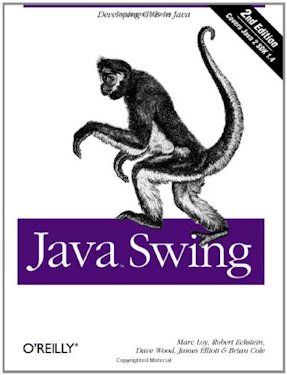 |
recommend book⇒Java Swing, second edition | |||||||||||||||||||||||||||||||||||||||||||||||||||||||
| by | James Elliott, Robert Eckstein, Marc Loy, David Wood, Brian Cole | 978-0-596-00408-8 | paperback | |||||||||||||||||||||||||||||||||||||||||||||||||||||
|---|---|---|---|---|---|---|---|---|---|---|---|---|---|---|---|---|---|---|---|---|---|---|---|---|---|---|---|---|---|---|---|---|---|---|---|---|---|---|---|---|---|---|---|---|---|---|---|---|---|---|---|---|---|---|---|---|
| publisher | O’Reilly |
978-1-4493-3730-8 | eBook | |||||||||||||||||||||||||||||||||||||||||||||||||||||
| published | 2002-11-01 | B007Y6KIHI | kindle | |||||||||||||||||||||||||||||||||||||||||||||||||||||
| ||||||||||||||||||||||||||||||||||||||||||||||||||||||||
| Greyed out stores probably do not have the item in stock. Try looking for it with a bookfinder. | ||||||||||||||||||||||||||||||||||||||||||||||||||||||||
 |
recommend book⇒Professional Java Custom UI Components | |||||||||||||||||||||||||||||||||||||||||||||||||||||||
| by | Kenneth F. Krutsch, David S. Cargo, Virginia Howlett | 978-1-86100-364-5 | paperback | |||||||||||||||||||||||||||||||||||||||||||||||||||||
|---|---|---|---|---|---|---|---|---|---|---|---|---|---|---|---|---|---|---|---|---|---|---|---|---|---|---|---|---|---|---|---|---|---|---|---|---|---|---|---|---|---|---|---|---|---|---|---|---|---|---|---|---|---|---|---|---|
| publisher | Peer Information | |||||||||||||||||||||||||||||||||||||||||||||||||||||||
| published | 2001-08 | |||||||||||||||||||||||||||||||||||||||||||||||||||||||
| How to write your own AWT and Swing Components. The book is a bit long in the tooth, so gives most emphasis to AWT. | ||||||||||||||||||||||||||||||||||||||||||||||||||||||||
| ||||||||||||||||||||||||||||||||||||||||||||||||||||||||
| Greyed out stores probably do not have the item in stock. Try looking for it with a bookfinder. | ||||||||||||||||||||||||||||||||||||||||||||||||||||||||
 |
recommend book⇒Core Swing Advanced Programming | |||||||||||||||||||||||||||||||||||||||||||||||||||||||
| by | Kim Topley | 978-0-13-083292-4 | paperback | |||||||||||||||||||||||||||||||||||||||||||||||||||||
|---|---|---|---|---|---|---|---|---|---|---|---|---|---|---|---|---|---|---|---|---|---|---|---|---|---|---|---|---|---|---|---|---|---|---|---|---|---|---|---|---|---|---|---|---|---|---|---|---|---|---|---|---|---|---|---|---|
| publisher | Pearson Education | |||||||||||||||||||||||||||||||||||||||||||||||||||||||
| published | 1999-12-20 | |||||||||||||||||||||||||||||||||||||||||||||||||||||||
| On reading the Amazon reviews, this book looks best for HTML rendering. | ||||||||||||||||||||||||||||||||||||||||||||||||||||||||
| ||||||||||||||||||||||||||||||||||||||||||||||||||||||||
| Greyed out stores probably do not have the item in stock. Try looking for it with a bookfinder. | ||||||||||||||||||||||||||||||||||||||||||||||||||||||||
 |
recommend book⇒John Zukowski’s Definitive Guide to Swing for Java 2 with CD-ROM | |||||||||||||||||||||||||||||||||||||||||||||||||||||||
| by | John Zukowski | 978-1-893115-02-6 | paperback | |||||||||||||||||||||||||||||||||||||||||||||||||||||
|---|---|---|---|---|---|---|---|---|---|---|---|---|---|---|---|---|---|---|---|---|---|---|---|---|---|---|---|---|---|---|---|---|---|---|---|---|---|---|---|---|---|---|---|---|---|---|---|---|---|---|---|---|---|---|---|---|
| publisher | Apress | B00ACC5F7E | kindle | |||||||||||||||||||||||||||||||||||||||||||||||||||||
| published | 1999-06-15 | |||||||||||||||||||||||||||||||||||||||||||||||||||||||
| very clear writer | ||||||||||||||||||||||||||||||||||||||||||||||||||||||||
| ||||||||||||||||||||||||||||||||||||||||||||||||||||||||
| Greyed out stores probably do not have the item in stock. Try looking for it with a bookfinder. | ||||||||||||||||||||||||||||||||||||||||||||||||||||||||
 |
This page is posted |
http://mindprod.com/jgloss/swing.html |
Optional Replicator mirror
|
J:\mindprod\jgloss\swing.html | |
 |
Please read the feedback from other visitors,
or send your own feedback about the site. Contact Roedy. Please feel free to link to this page without explicit permission. | |
| Canadian
Mind
Products
IP:[65.110.21.43] Your face IP:[216.73.216.34] |
| |
| Feedback |
You are visitor number | |


