acronym JNI (Java Native Interface). It comes as part of the JDK (Java Development Kit).
How you write C/ C++/assembler code native methods callable from Java. It also
lets C/C++ code
call Java methods. Microsoft J++ does not support JNI.
Before you get too deeply into JNI
check out the exec function. Also check if
JConfig has what you need. It may do what
you want with much less hassle. Also check out XFunction which lets you do JNI
without writing any of that complicated JNI
C code.
Tying Java and
C/
C++ together is a messy business. Unless you are constrained
by something such as:
- legacy code without source
- proprietary specialty library
- platform-specific code
- device drivers
then you will likely be happiest converting everything to one language. In any
case, you want to keep the corpus callosum between the two languages as small as
possible with as little traffic as possible. In other words, when in
Java, attempt to stay in
Java as long as possible. When in
C/
C++, attempt to stay as
long as possible in
C/
C++. Share as little data as possible back and forth. Keep
the formats of shared data as minimal as possible.
Introduction
JNI
is how you write C/C++/assembler code native methods callable from Java. It also
lets C/ C++ code
call Java methods.
You can’t directly manipulate or create C++ objects from Java. You need to write native method
implementation code in C++ to allow java objects
and methods to indirectly create and manipulate the C++ objects. Your C++ code
has to do the C++ object creating and manipulating
based on clues passed from Java by native methods and parameters.
The Overall Process
- If you need to use JNI from an Applet, order a
certificate well in advance. See Signed
Applet.
- Put all your classes in a package. Package-less classes are just for tiny toy
programs.
- Write a Java class containing a native method something like this Glue.java:
- Compile Glue.java with javac.exe in the usual way. This step is very important. You must have
a clean compile before using javah.exe.
- Generate the Glue.h header file containing the
prototypes of the C/C++ methods you must write with:
javah.exe -jni -o Glue.h com.mindprod.JNIExper.Glue
- Write a C or C++ class something like this
Glue.c using the code in glue.h
as a template.
- Link that C code and any assembler code it calls into a
DLL (Dynamic Link Library). The DLL
may contain methods from many different classes.
- Pre-install the DLL on the java.library.path
i.e. on the browser’s classpath or path, e. g. J:\Program Files\java\jdk1.8.0_131\
\jre\bin\ext (for the JDK 1.8.0
plug-in), WINNT\java\trustlib (for Internet Explorer),
Program Files\Netscape\Communicator\java\classes (for
Netscape 8.0).
You can’t change DLLs (Dynamic Link Libraries)
to a new version without rebooting, not even the disk copy, let alone the RAM (Random Access Memory) image. Java can change code on the fly without so much as stopping the program. Surely Microsoft
could work out a method to change a DLL that did not require such drastic measures. Some Unix machines run for years without rebooting. To replace a
DLL with a new one, you must use the inuse utility to allow you to replace the DLL and then reboot to clear the in-RAM
copy.
inuse test.dll C:\winnt\system32\test.dll /y
Alternatively, you can reboot and then replace the DLL, so long at it is not loaded.
- Alternatively, you can install the DLL
to a temporary file in any random directory the browser uses as the current
directory. You have to install it afresh on every run. The problem is because it
is a DLL, you can’t delete it until the next reboot.
File.delete() and
File. deleteOnExit() will
fail. There is no such thing as
File.deleteOnReboot
(), so I suggest using HunkIO. createTempFile which generates filenames that will be more
easily recognized as junk and discarded later by some disk cleaner, or by your
own program on a subsequent run.
- Use the Java native method as if it were an ordinary Java method.
- Normally, Java calls C/C++, but you can do the reverse. Normally you just pass
primitives back and forth. On the C++ side, you
can create a Java object with the JNI
API (Application Programming Interface) and populate its fields and return it, most
commonly a String. You can also create C++ objects and use them on the C++ side. They mean nothing on the Java side so you
can’t bring them over into Java without converting them to Java objects
first. Similarly, you can’t create arbitrary C++ objects from the Java side.
Some general JNI
tips
- See if you can avoid JNI altogether. Let your Java talk to your native code
via TCP/IP (Transmission Control Protocol/Internet Protocol).
- JNI
and web-loaded Applets are incompatible, even if you sign them or jump through
incredible hoops. You must use a Signed Applet to install a second signed one on the
client’s local hard disk and then use that second Applet to do your
JNI
work. Even then loadLibrary is unreliable.
- A JNI call is very slow, in the order of .5 to 1.0
microseconds, the equivalent of pages of linear Java code to do a simple method
call. You would think there would be a tiny generated machine code thunk to
bridge between Java and C. Not so — at least in any
JVM (Java Virtual Machine). I know of, Java branches to some general purpose
code that interpretively constructs the C parameters. This code
is not highly optimised. It seems Oracle wants to strongly discourage you from using
native methods just for speed. This means you don’t want to hop back and
forth between Java and C, but rather to go to C and stay there a decently long
time before returning. This means that you can’t use C to speed up short
operations, only long ones because of the overhead tacked on in getting to C
wipes out any savings.
- Keep your JNI interface as minimal as possible. This is tricky,
messy, kludgy stuff. Do as little native code as possible. Confine it to as few
classes as possible.
- Get your native code working first in an application before you tackle the
complexities of signed Applets and
capabilities and permissions. With applications you can control the loadlibrary path with:
java -Djava.library.path=. HelloWorld.
With Applets, you are at the mercy of the browser.
- If you do your native code in C++, there is
slightly more type checking. Watch out, you use env-> in
C++ rather than (*env)-> you would use in C. Keep aware in C++ when the first argument is hidden.
- When you compile, set the Options/Project/Directory include path to:
J:\Program Files\java\jdk1.8.0_131\\include\win32, or equivalent. Note that
JNIEXPORT defined in win32\jni_md.h. For Borland, make sure target expert says:
DLL, Win32
console, static and Project/Options/Linker/General is no debug, otherwise you will
generate enormous DLLs.
- None of the Java safety net is operational when your native code is running.
Keep in mind the tiniest error in your JNI
code will crash the JVM. In Java version 1.2
there is a debug mode that does extra parameter checking invoked with -Xcheck:jni. Build your code incrementally, testing thoroughly before
adding a few more lines.
- Check the return status of every call. There is no exception mechanism to do it
for you.
- Make sure you understand global and local references and include the necessary
DeleteLocalRef and DeleteGlobalRefs.
When you return an Object, you only need to pass back a local
reference. If you want to retain a long-term reference to the Object for yourself,
that lives after your method returns, then you need to convert it to a
global reference. Local references are automatically deleted when
your method returns. You must eventually delete global references explicitly. You
may optionally delete local references prematurely. Similarly, you must explicitly
use ReleaseStringUTFChars to free the C-style string created
from a Java Unicode string that you allocated with GetStringUTFChars. If you fail to release, your code will run for a
while, then eventually die of the memory leak. These can be a bear to track down.
Code carefully and deal with the release the instant you write the code for the
allocate.
- Be careful with GetIntArrayRegion and GetIntArrayElements and modifying the C-array you get. Since
GetIntArrayRegion gives you a copy, any changes you make
will not affect the Java array. GetIntArrayElements
effectively gives you a direct pointer to the Java array so any changes you make to
the C array are reflected in the Java array. However, there is a slight catch.
GetIntArrayElements may be implemented two ways:
- Giving you a direct pointer to the Java array. In that case, any changes
you make are instantly reflected in the Java array. This technique is used when
the garbage collector supports pinning — freezing the Java array at a
fixed location, even through a GC (Garbage Collection)
cycle.
- Giving you a copy of the Java array. In that case, any changes you make are
not reflected until you call ReleaseIntArrayElements,
when your C array is automatically copied back into the Java array. This
technique is used when the garbage collector does not support pinning and there
would be no way to freeze the Java array at a fixed location where C expects
it.
- AllocObject does not invoke the
constructors. It is up to you to initialise all the fields. Normally you would use
NewObject.
- When debugging DLL s, remember the client must sometimes have to reboot
to force Windows or NT to reload the new version of the DLL.
DLL hell strikes
again. Why must Microsoft fool around with dancing paperclips instead of fixing
this? One way around the problem is to keep changing the name of your
DLL.
- When you are debugging, display the code and DLL
version number on the screen so that you can detect if you are inadvertently using
an old version of your Applet stuck in cache, or an old version of a
DLL.
- If you have a class file twice on the classpath you will get a misleading
error: java.lang.ClassFormatError: Class already loaded.
It has nothing to do with the DLL
already being loaded. Thankfully, having a DLL
still loaded from the last time you ran is not considered an error.
- It is also probably a good idea to give your class containing the native
method, your C code and the DLL
distinct names.
- When you do your javah -jni
com.mindprod.mypackage.MyClass, make sure you use dots in the name, not
slashes.
- When you do your javah -jni
com.mindprod.mypackage.MyClass, make sure you have freshly compiled it
first. It works from the *.class file, not the *.java file.
- ListDLLs is a
useful tool to find out which NT DLLs
are currently loaded.
- Don’t use thread local storage (a Microsoft C++ feature) with any DLLs
that you let the JVM load. TLS (Transport Layer Security)
doesn’t work if the library is loaded with loadLibrary.
- I’m told you don’t have to buy an expensive C/ C++ compiler to do your
JNI work. The
Gnu/CygnWin shell and
C++ compiler is available free for many
platforms.
- Though you can work in either C or C++, you
always use extern 'C' so that C-style parameter
pushing order is always used.
- Before you write your own JNI
native class, check out JConfig. It may already be done.
- If you have a dual CPU (Central Processing Unit) s,
JNI can be
even more tricky. It has not yet been properly tested in that configuration.
- If you are using a 64-bit JVM,
you will need to compile 64-bit C++ JNI. If you are using a 32-bit
JVM, you will
need to compile 32-bit C++ JNI.
C/C++ Primitive Types
JNI Primitive
Types To Use in C/C++
| JNI Primitive Types To Use in C/C++ |
|---|
| Type |
Purpose |
Typedef |
Java/C/C++ |
|---|
| jboolean |
8-bit Boolean |
typedef unsigned char jboolean; |
C/C++ |
| char |
8-bit byte |
|
C/C++ |
| jbyte |
8-bit signed byte |
typedef signed char jbyte; |
C/C++ |
| WORD |
16-bit unsigned short, |
typedef unsigned short WORD; |
C/C++ |
| wchar_t |
16-bit unsigned char |
|
C/C++ |
| WCHAR |
16-bit unsigned char, wide char |
typedef wchar_t WCHAR; |
C/C++ |
| TCHAR |
16-bit unsigned char on Unicode supporting systems, 8-bit unsigned char or older systems, text char |
typedef WCHAR TCHAR; |
C/C++ |
| jchar |
16-bit unsigned char |
typedef unsigned short jchar; |
Java |
| jshort |
16-bit signed short |
typedef short jshort; |
Java |
| DWORD |
32-bit unsigned int, double word |
typedef unsigned long DWORD; |
C/C++ |
| LPDWORD |
DWORD *, pointer to 32-bit unsigned int, long
pointer double word |
typedef DWORD far * LPDWORD; |
C/C++ |
| BOOL |
32-bit Boolean. TRUE/true=1 FALSE/false=0, Boolean |
typedef int BOOL; |
C/C++ |
| int |
32-bit signed int |
|
C/C++ |
| long |
32-bit signed int |
|
C/C++ |
| jint |
32-bit signed int |
typedef long jint; |
Java |
| jfloat |
32-bit signed float |
typedef float jfloat; |
Java |
| long long |
64-bit signed long |
|
C/C++ |
| jlong |
64-bit signed long |
typedef __int64 jlong; |
Java |
| LPSTR |
char *, pointer to 8-bit null-terminated
string |
typedef __nullterminated CHAR * LPSTR; |
C/C++ |
| LPCSTR |
const char *, constant pointer to 8-bit
null-terminated string, long pointer constant string |
typedef __nullterminated CONST CHAR * LPCSTR; |
C/C++ |
| LPTSTR |
wchar_t *, pointer to 16-bit null-terminated
string on Unicode-supporting platforms. On older platforms it means char *,
pointer to 8-bit null-terminated string, long pointer
text string |
typedef LPCWSTR LPCTSTR; |
C/C++ |
| LPCTSTR |
const wchar_t *, constant pointer to 16-bit
null-terminated string on Unicode-supporting platforms. On older platforms it
means char *, pointer to 8-bit null-terminated
string, long pointer constant text string |
typedef LPCWSTR LPCTSTR; |
C/C++ |
| jdouble |
64-bit signed double |
typedef double jdouble; |
Java |
| jstring |
counted Unicode String |
|
Java |
| JNIEnv |
the JNI environment with hooks to the
JNI
library methods |
|
Java |
See also the table of sizeof native
C++ types.
JNI Manipulator Functions
JNI
gives you opaque access to the Java objects. You never touch the Java
objects directly, you always manipulate them via rather clumsy remote access methods.
It is bit like being a blind brain surgeon using barbecue tongs. The advantage is
your program never need know what the actual format of the objects is. It makes it
much easier to write portable C/C++ code.
JNI accessor
functions
| Useful JNI functions to Access Parameters |
|---|
| type |
get parm |
put parm |
release parm |
return |
notes |
|---|
Unicode String
converted to 16-bit chars |
GetStringChars
GetStringLength |
- |
ReleaseStringChars |
NewString |
The result of GetStringChars is not null
delimited! You must copy and append your own null with wcsncpy_s.
C++ Unicode 16-bit functions do not work (quietly degrade to 8-bit mode) unless you define both:
#define UNICODE
#define _UNICODE |
UTF-8 String
converted to 8-bit chars |
GetStringUTFChars
GetStringLength |
- |
ReleaseStringUTFChars |
NewStringUTF |
The result of GetStringUTFChars is automatically
null delimited, though Oracle documentation is unclear. You might wonder at the
asymmetry with GetStringChars. 16-bit strings need not copy. GetStringChars can us the original java 16-bit string which is not null terminated. 8-bit requires a copy, so GetStringUTFChars might as well append a null while it at
it. |
| int |
use parm directly |
- |
- |
use local jint |
int[]
copy access |
GetIntArrayRegion
GetArrayLength |
SetIntArrayRegion |
- |
NewIntArray |
int[]
direct access |
GetIntArrayElements
GetArrayLength |
- |
ReleaseIntArrayElements |
NewIntArray |
| Object |
use parm directly |
- |
- |
NewObject
NewObjectA
NewObjectV |
Object[]
copy access |
GetObjectRegion
GetArrayLength |
SetObjectArrayRegion |
- |
NewObjectArray |
Object[]
direct access |
GetObjectArrayElements
GetArrayLength |
- |
ReleaseObjectArrayElements |
NewObjectArray |
| static field in Object |
GetStaticFieldID
GetStaticObjectField
GetStringUTFChars
GetStaticIntField |
setStaticObjectField
SetStaticIntField |
- |
- |
| instance field in Object |
GetFieldID
GetObjectField
GetIntField |
SetObjectField
SetIntField |
- |
- |
| callback static method |
FindClass
GetStaticMethodID
CallStaticVoidMethod
CallStaticIntMethod
CallStaticObjectMethod |
- |
- |
- |
| callback instance method |
FindClass
GetMethodID
CallVoidMethod
CallIntMethod
CallObjectMethod |
- |
- |
- |
In the above table, wherever you see Int, you can
replace it with Boolean, Byte,
Char, Short, Long, Float or Double. Note these methods do not follow Java capitalisation
conventions.
Typical JNI C Code
Here is some typical
JNI C code to
open a file, that lets you access a Java string inside C.
Typical JNI C++ Code
Here is
the C++ code for accessing the volume serial number
of drive under Windows:
Here
Compiling JNI C/C++ Code
Presuming your JNI
class with native methods is called Mouse you will
need to write a C or C++ program called
mouse.cpp that contains the methods for nativemouse.dll. Your C/C+ program mouse.cpp
will implement the methods in the generated mouse.h file.
Get a clean compile of your Java code, then use javah.exe
like this:
If you are using Microsoft’s commercial C/C++ compiler you must have
J:\Program Files\java\jdk1.8.0_131\
\include and J:\Program Files\java\jdk1.8.0_131\
\include\win32 in the include list. To configure click: Tools | options | Projects and Solutions | VC++ directories | include
files or click: tools | options | directories |
include.
For project as a whole, configure: project | settings |
general | no MFC (Microsoft Foundation Classes) and In project | settings |
link | output filename | should end in DLL
For the free MS Visual C++ Express 12, configure
your project as a DLL
library. Include the two JNI
libraries J:\Program Files\java\jdk1.8.0_131\\include and J:\Program Files\java\jdk1.8.0_131\
\include\win32 in the /I section when you first define the project, (not
forced includes) or change them later in right click | project
properties| C/ C++
| additional include directories. Every time the JDK
changes, you must manually change every JNI
project file for both debug and release.
Turn off incremental linking. Turn off the 64-bit
warnings.
In project | C++ | code
generation set the runtime library /MT option to
statically link (i.e. include system run time code in the DLL
rather than link to the runtime. Alternatively, you must install the C++ runtime on all clients, available from:
Microsoft
The command line equivalents to your GUI (Graphic User Interface)
options should look something like this for debug:
and
Use the batch rebuild to ensure both debug and release versions
compile and link without warnings.
JNI and Assembler
To write the
JNI code partly
in assembler, there are two approaches:
- Use Microsoft Visual C++ inline
assembler.
- Use a traditional external 32-bit assembler and
create a little C glue code.
Microsoft C conventions return an int value in
eax or a long in edx:eax. You can
learn the register conventions by adding the /FA option to
the project C++ settings and looking at the
generated *.ASM code for C++ or C programs.
Here is a sample using inline Assembler. Leaving a value in eax without a ret is how you return a value,
even though it generates a compiler warning message.
- Using assembler or inline assembler can massively shrink your
DLL
files. So often in C, one tiny function brings in all kinds of library code.
- If you work in assembler, you can get a rough prototype in
ASM (Assembler)
to work with by writing a dummy version in C and getting the compiler to generate
ASM
source. In Borland you do this with Project ⇒ right click
on *.c file ⇒ Special ⇒ C->ASM.
- Test your actual ASM
code with a test C driver. Once you get that working, try putting it in a
DLL. After that
is working, attempt calling it from Java.
- Beware! assemblers may only handle 8.3 source names and may truncate public
symbols or convert them to upper case. It gets pretty strange. Java, C,
C++ and MASM (Microsoft Assembler)
each have their own idea of what the symbol names are. Unless you specify to the
C++ compiler that symbols are extern 'C', it will decorate them with method signatures.
Sometimes symbols get a leading _. You can guess these
symbols from MAPs, error messages and looking at hex dumps of object files. I
found it easiest to call a C wrapper method with the official Java name which in
turn calls an ordinary assembler routine with a short name, all uppercase.
- In theory, with a smart linker, you should be able to alias the short name to
the long one and avoid the C wrapper method. With the wrapper method, you
don’t need the JNIEXPORT on your
MASM
prototype, since the JNI interface never sees it, e. g. jint JNICALL NATIVE1(JNIEnv *env, jclass thisClass, jint n);
- Make sure you are explicit about JNICALL on your MASM
prototype which means the called routine is responsible for popping the parms with
a ret n.
- Borland inline assembler does not work in the C compiler in 32-bit mode unless you buy the separate TASM product.
- You can’t access the familiar 16-bit
DOS (Disk Operating System)
int 21h functions, from a 32-bit flat app.
- The method signature strings that GetMethodID wants can
be had from running javap -s -p on your compiled Java
class files.
JNI Example Code
I have posted five programs with
source that use JNI : FileTimes, Mouse, Pentium, Volser, SetClock.
Using JNI in Applets
I drove myself nuts trying to get
JNI to work with
signed Applets back in the days of Netscape proprietary signing and
JVMs (Java Virtual Machines). I gave up and went with Java Web Start. It may be
easier now. What following are notes from those terribly frustrating times.
Using native methods in a Netscape Applet is a bear because even after you manage
to defang the security manager
PrivilegeManager.enablePrivilege( "UniversalLinkAccess" );
to let you call your native methods,System.loadLibrary
( mydll) and the undocumented
security system, will insist that the *.DLL file containing
the your native methods and all your classes be pre-installed on the client’s
machine. It refuses to look for them in the jar file or on the website where CODEBASE
points. You are pretty well stuck making your Applet install the necessary
DLLs
and class files on the client’s machine. Ouch! System. loadLibrary fails for some reason
if the DLL was not
present at the time Netscape fired up. The System.
loadLibrary can’t seem to see a
DLL
installed dynamically. This makes no sense since the DLL
is not loaded until System. loadLibrary is called. Even more baffling is why System. load would show the same
behaviour. I have fooled around with this for months and I still could not get
Netscape System. loadLibrary
to behave reliably and predictably. Until that problem is solved, I consider it
practically impossible to use JNI
from Applets.
I got word from Hannu Helminen that it is possible after all. He came across this
JavaWorld Article. What is says basically that Netscape and native code do work
together after all. He tried it out and to his amazement the example indeed works!
But hey, he did the same things that I did, where is the catch?
The idea is that first you download the native DLL
and a class file to user’s local hard drive. The class file has to be in the
Netscape class path, thus it uses the system class loader. Also the
DLL
has to be downloaded and System. loaded before the class is referenced for the first
time. It appears that Netscape does some kind of checking for the
DLLs
already when the class is loaded. I have not yet had time to check this out
myself.
To make it worse, there are fourteen security bypassing schemes you have to deal
with.
System.load vs System.loadLibrary
System.load
takes a fully qualified filename, e.g. C:\dlls\myjni.dll,
one ending in *.dll (or *.so for
Linux or Solaris). System. loadLibrary takes an unqualified filename, e.g. myjni and appends the .dll or .so for you. The idea is you can write more platform-independent code
this way. I have had more success with
System.load
during debugging then flipping to
System.loadLibrary
once all is working. I suspect there is a mother of a gotcha hidden in loadLibrary not yet revealed. Check out the system property
java.library.path with Wassup to see where the restricted system property
System.loadLibrary
is looking for DLLs. It will be the usual executable path plus a few extra
directories. Alternatively find out the library
out.println ( System.getProperty( "java.library.path" ) );
In an application or the Opera browser, you can determine the library load path with:
String lib = System.getProperty( "java.library.path" );
You must explicitly load the corresponding
DLL
before using any class inside it. On W98, Me, NT, W2K, XP, W2003, Vista, W2008, W7-32, W7-64, W8-32, W8-64, W2012, W10-32 and W10-64,
that library path is supposed to contain:
- The Windows system directories.
- The current working directory.
- The entries is the PATH (not CLASSPATH) set environment variable.
- and sometimes, at least in Java Web Start,
the root directory of your jar. DLLs
must be added to jars without the package name path.
The library path depends on whether you wrote an Applet or application, which browser and the phases of the moon.
Windows loadLibrary
On W98, Me, NT, W2K, XP, W2003, Vista, W2008, W7-32, W7-64, W8-32, W8-64, W2012, W10-32 and W10-64
make sure you put your JNI shared object library *.dll
somewhere on the library path. If your use
System.loadLibrary
( dog ), then you must name
your library file with your compiled C++ code
dog.dll. Put dog.dll directly on
the library path, not in a package name sprouting off the library path. If no
existing directory in the java.library.path is
suitable, put the dll in some other directory and add that directory to the ordinary
executable path by adding it in the control
panel set environment. It will be automatically included in java.library.path. To share a your native library on a
LAN (Local Area Network), assign a dummy network drive letter to the
server:directory where you put it and add that to the path of each client. With
JWS, you can put dog.dll in a jar, but don’t give it a package name.
Solaris and Linux loadLibrary
In Linux, to compile and link the
C/C++ code, use:
to tell it where to find the JNI headers. In Linux there is an environment variable
called LD_LIBRARY_PATH that controls the path where
*.so files are searched for. On Solaris or Linux, make sure
you put your JNI shared object library *.so
somewhere on the library path. If your use System.
loadLibrary( dog ), then you must name your library file with your
compiled C++ code libdog.so. Put libdog.so directly on the
library path, not in a package name sprouting off the library path. With
JWS (Java Web Start), you an put libdog.so in a
jar, but don’t give it a package name.
Mac
On the Macintosh, make sure you put your
JNI shared object
library lib*.jnilib somewhere on the library path. If your
use System. loadLibrary( dog ), then you must name your
library file with your compiled C++ code
libdog.jnilib. Put libdog.jnilib
directly on the library path, not in a package name sprouting off the library path.
With JWS, you can put
libdog.jnilib in a jar, but don’t give it a package
name. Apple Java has a Java-access to the proprietary Mac API,
so you don’t often need JNI.
DLL in the Jar
If you want to put your DLLs in the jar, you must bundle them as resources, then to
load them, read the resource from the jar and copy them to a temp file, then a
System.load the temporary
file. The process is somewhat more complicated that you might think.
File Naming Conventions
Naming things so that the various parts
can find each other is perhaps the trickiest part of JNI.
It does not matter exactly what naming convention you use, just that you be
100% consistent. Here is the scheme I use in production. I
put each class with JNI
into its own package.
file naming conventions for JNI
| File Naming Conventions for JNI |
|---|
| Filename |
Purpose |
|---|
| com/mindprod/mouse/Mouse.java |
The main Java class that contains some native methods. |
| com/mindprod/mouse/nativemouse/mouse.c |
The C program that implements the native methods. |
| com/mindprod/mouse/nativemouse/mouse.h |
The C header file generated by Javah giving the C prototypes for the native
methods to be implemented in C |
| com/mindprod/mouse/nativemouse/Release/nativemouse.dll |
The DLL native executable library containing the native
implementations. Before it can be used, it must be copied somewhere on
java.library.path, the system path, or in the jar without a
package name. You load the dll, using in a static init of the Mouse class, with System.
loadLibrary ( nativemouse );Note the lack of .dll or path information. |
Exceptions
C++ called via
JNI knows nothing
about Java exceptions. Java exceptions created in C++ are just control blocks lying about. They have no automatic
effect on program flow. It is up to you in some C++ish way, after you set up the
exception, to return quickly and gracefully up the call stack to your caller back in
Java who can then handle the exception. On your
way back, C++ can handle or notice the exception by
explicitly testing for it with ExceptionCheck.
Threads
Here are basics of how to make
JNI threadsafe:
- The JNIEnv pointer is valid only for the thread
associated with it. Don’t pass it around.
- Local references are only valid in the thread that created them.
- You can convert a local reference to global reference to share it.
- You have the same sorts of synchronised problems in JNI
you do in regular Java, it is just you deal with them with MonitorEnter and MonitorExit. For those
who like to line dangerously, it is also possible to use the native thread
mechanisms.
Reflection
JNI methods
useful in reflection
| JNI Methods Useful In Reflection |
|---|
| Method |
Use |
|---|
| GetSuperclass |
returns superclass of a class reference. |
| IsAssignableFrom |
checks whether instances of one class can be used when instances of another
are expected. |
| GetObjectClass |
return the class of a given jobject. |
| IsInstanceOf |
checks whether a jobject is an instance of a given
class. |
| FromReflectedField |
Convert a java.lang.reflect.Fieldreflect.Field
to a field ID. |
| ToReflectedField |
Convert a to a field ID to a java.lang.reflect.Field. |
| FromReflectedMethod |
Convert java.lang.reflect.Methodreflect.Method
or a java.lang.reflect.Constructor to a method ID. |
| ToReflectedMethod |
Convert method ID to a
java.lang.reflect.Methodreflect.Method
or a java.lang.reflect.Constructor. |
The equivalent JNI C code for the following fragment of Java is much more
long winded:
Class theClass = Class.forName( "java.lang.Long" );
Constructor constructorList[] = theClass.getConstructors();
The Old Netscape Problem
This describes a problem with earlier
versions of Netscape. The new versions work quite differently. Netscape won’t
let web-loaded Applets invoke DLL
code, even if they have UniversalLinkAccess permission.
Further, it won’t let them use a custom ClassLoader to do it indirectly. You
may bypass this with the undocumented MarimbaInternalTarget class. Your custom classloader must do a
Class.getClass
() first before attempting to fulfill the request itself.
The Old Netscape Solution
This applies to earlier versions of
Netscape. New ones behave quite differently. You don’t need to deal with any of
this security, installing and jar-signing stuff if you use an application instead of
an Applet. I strongly suggest that approach wherever possible.
I have fooled around with this over a period of six months, chasing wild goose
after wild goose and have finally came to the conclusion, in agreement with
Oracle’s FAQ (Frequently Asked Questions), that JNI
and Applets simply don’t mix. There is simply no way to get sufficient security
clearance to let you directly access the DLL
from a web-loaded Applet, even if you write a custom ClassLoader. One problem with
doing so many tests is I could have slipped somewhere along the line, thinking I
tested two cases, when I actually tested only one. The problem is the way
Windows/Netscape hold onto the old code. I have not even got the method I describe
below to work. It may fail too. Netscape security may apply even if you load from
local hard disk.
What you have to do is use a small signed installer Applet to install a second
unsigned Worker Applet on the client’s local hard disk. When that second Worker
Applet runs, it is totally free of security restrictions and so can access
JNI
DLLs. It behaves
much like an application, except it runs under a browser.
You also have to install some html in that same local directory that will load the
Worker Applet from the local hard disk. It would have CODE and ARCHIVE parameters,
but no CODEBASE. It defaults to the local hard disk directory where the html file
lives.
You have to install the DLL in
X:\Program Files\Netscape\Communicator\program\java\bin\,
which is guaranteed to be on Netscape’s Windows path, where Windows looks for
DLLs.
You have to install the unsigned Worker jar file in
X:\Program Files\Netscape\Communicator\program\java\classes\.
Netscape totally trusts classes it loads from the local file system, even if they
are not signed and have no capabilities calls.
The Old Netscape Recipe
Just follow this recipe, if this
discussion is making your brain hurt. The same technique will work for other
platforms with the obvious substitutions. If you do understand it, you can create
your own shortcuts.
In order to execute JNI methods from a Netscape Applet, create three jar
files.
- installer.jar. When this signed jar is first executed, it
installs the various files on the client’s local hard disk, (intelligently
choosing C: or D:). On subsequent executions, it notices the needed files are
already installed and up-to-date and avoids that step. As soon as it has ensured
it has installed the files, it uses getAppletContext().showDocument(url) to transfer control to the
HTML (Hypertext Markup Language) it has
downloaded on C: or D: The
installer jar contains only the tools such as FileTransfer classes for help in downloading
and installing the files. It does not contain any of the data to be installed.
Keeping that out of installer.jar saves transferring that bulk when it is already
installed.
- Worker.jar is for your class files that contain native
methods and the other classes you need to run the actual Applet. This jar should
not be signed. If you sign it, it will slow class loading the code down. The
Worker.jar will be embedded inside the toInstall jar, described shortly. The
installer Applet will copy the Worker.jar to
X:\Program Files\Netscape\Communicator\program\java\classes\
or perhaps D:. Thereafter, you could run it standalone via a bookmark, or you could
run it via the original install.jar. The advantage of using the original
install.jar is automatic updates and automatic finding where the Worker.jar Applet
is installed. The disadvantage is extra startup time and an extra annoying grant to
run the program each time.
- toInstall.jar. This unsigned jar is just a container for the
various files you need to download namely:
- An HTML file to invoke the actual Applet. Your installer
Applet will install it in:
X:\Program Files\Netscape\Communicator\program\java\classes\, or perhaps D:.
- Your DLL file containing the native C++/C/Assembler code. Your installer Applet will install
it in
X:\Program Files\Netscape\Communicator\program\java\bin\,
or perhaps D:.
- Your worker Applet jar containing all the class files you will need to run
the unsigned Applet. Your installer Applet will install it in
X:\Program Files\Netscape\Communicator\program\java\classes\ or perhaps D:.
If you use getResourceAsStream, you must use the
goofy extension *.ram for resources inside your jar
files because Netscape interferes with the extensions *.dll, *.exe, *.class etc. If you access them via ZipFile that kludge is not necessary.
Strategy
The key to debugging JNI is to write a C/C++ test harness (unit test)
to test your C/C++
application code. Then when it is working write the JNI
glue to call your C/ C++ application methods. Let’s say, for example, you were
going to write some code to get at the CPU
serial number like Pentium.
You write a C method to get the serial number. You write a C/ C++ mainline that calls your
method and prints out the serial number on the console. You use pure C/ C++ debugging tools to get
this all working. Then once you are sure your method is working, you write the
JNI glue to call
it from Java. The JNI
is pretty mechanical after you have done it a few times. You don’t do anything
fancy in the JNI
code. Anything tricky you do in the C/ C++ method or in the Java code that calls the native method.
JNI is ugly and
so you want to keep it as simple as possible, as free of application logic as
possible.
Another strategy is to write dummy JNI
methods in standard Java. Introduce your real JNI
code one class/method at a time and see when it starts to blow up. That localises the
problem.
I see references to
com.sun.jna.win32.StdCallLibrary, which looks like a way to access the Windows
API,
but I can’t find any documentation on it.
64-bit
In Windows, 32 and 64-bit DLLs
use the same extension *.dll so you must either provide two
distributions, each either pure 32-bit or pure-64-bit, on provide both versions in
separate directories. Or you might name your DLLs
with a suffix of 32.dll, 86.dll or
64.dll. The contents of J:\Program Files (x86)\java\jdk1.8.0_131\include\
and
J:\Program Files\java\jdk1.8.0_131\include\
are the same, including the Win32 directory. I
gather it is purely the C++ compiler directives that decide whether to generate 32 or
64 bit code. I don’t have a 64-bit C++ compiler, so I have never tried the
experiment.
Alternatives
You likely are saying to yourself,
What a production! There must be a simpler way. Here are
some alternatives:
- Spawn a C++ program with the exec mechanism.
- Use a JNI library, or JNI
generator written by someone else.
- Exchange data via data files, perhaps big or little-endian binary, or
XML (extensible Markup Language).
- Exchange data via an SQL (Standard Query Language) database.
- Exchange data via a TCP/IP
socket.
Books
My essay has only
scratched the surface. You must have a text book if you hope for any success with
JNI.
Book referral for The Java Native Interface, Programmer’s Guide and Specification
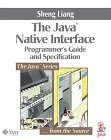 |
recommend book⇒The Java Native Interface, Programmer’s Guide and Specification |
| by |
Sheng Liang |
978-0-201-32577-5 |
paperback |
|---|
| publisher |
Prentice Hall |
|---|
| published |
1999-06-20 |
|---|
| Sun Microsystems. Does not cover Applet signing, or obvious JNI like accessing int parms, but he does explain many fine points well. A slim, indispensable, expensive book. The specification itself is bundled as part of the JDK docs. Part of the book is available free online. |
|
| Greyed out stores probably do not have the item in stock. Try looking for it with a bookfinder. |
Book referral for Essential JNI, Java Native Interface
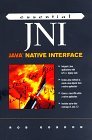 |
recommend book⇒Essential JNI, Java Native Interface |
| by |
Rob Gordon [Author], Alan McClellan [Editor] |
978-0-13-679895-8 |
paperback |
|---|
| publisher |
Prentice Hall |
|---|
| published |
1998-03 |
|---|
| This book is aimed more at the beginner than Liang’s book. It can’t very well teach you C and Java and JNI in one book, but it does not make quite so many assumptions about what you already know. |
|
| Greyed out stores probably do not have the item in stock. Try looking for it with a bookfinder. |
Learning More
Oracle appears to have withdrawn the Beth Stearns tutorial.


 JNI
JNI



