aka mobo, main board,
server board. This is the main board into which the
CPU (Central Processing Unit), memory and accessory cards plug. It will have
PCI (Peripheral Component Interconnect) slots for things like SCSI (Small Computer System Interface),
modem, sound card, lan card. It will have an AGP (Accelerated Graphics Port)
slot for a video
card. It typically has a USB (Universal Serial Bus) port, a serial port, a parallel
port, a keyboard port, a mouse port. It sometimes has built-in
LAN (Local Area Network),
video, SCSI or sound. Usually these built-in components are low
performance, aimed at low cost.
Motherboards are designed for a particular brand and range of
CPU. Similarly
they are usually limited to a small number of types and speeds of
RAM (Random Access Memory). Most motherboards hold only one
CPU though some
have room for a matched pair. For Dual CPU
use you need special CPU models designed to be used in pairs. The dual
CPU route is
expensive. The motherboards are more than twice as expensive and each
CPU is about
twice as expensive as the usual type that cannot be used in pairs. A cheaper similar
option is hyperthreading where a
single fast CPU pretends to be a CPU
pair.
One of the most important measures of motherboard speed is the speed of it’s
FSB (Front Side Bus),
the direct link between CPU and RAM.
The other important measure is maximum RAM
capacity.
RAM
prices are always dropping and adding more RAM
is the easiest and cheapest way to improve the speed of your computer in future.
The three main chips on the motherboard are the CPU, the
northbridge and the southbridge.
Other important parts of the motherboard are the RAM
cards and the expansion slot cards such as the video card. The northbridge typically
handles communications among the CPU,
in some
cases RAM,
and PCI
Express (or AGP) video cards and the southbridge. Some northbridges
also contain integrated video controllers, also known as a Graphics and Memory
Controller Hub (GMCH) in Intel systems. Because different processors and
RAM require
different signaling, a northbridge will typically work with only one or two classes
of CPUs (Central Processing Units)
and generally only one type of RAM.
Which northbridge and southbridge to use is normally only the concern of the
motherboard designer.
Well known motherboard manufacturers include: ASUS (pronounced Ay-soos), BioStar. ECS Elite Group, Gigabyte, MSI and Tyan (Thunder, Tiger, Trinity, Tomcat, Toledo). ASUS manuals
are well above average. Gigabyte manuals are below average. Happily you can browse
the complete documentation on the web before you buy.
Motherboard Sizes
You must make sure your motherboard upgrade fits your case. Originally cases were all large enough to handle any size motherboard. Now the match is much tighter.
Motherboard Form Factor Sizes
| Motherboard Sizes |
|---|
| Form Factor |
Metric Size |
Imperial Size |
Aliases |
|---|
| width × depth |
width × depth |
|---|
| Mini-ITX | 17 × 17 cm | 6.69 × 6.69 in |
|
| Mini-DTX | 20.30 × 17 cm | 7.99 × 6.69 in |
|
| Taille Micro-ATX | 24.40 × 17 cm | 9.61 × 6.69 in |
|
| Flex-ATX | 22.90 × 19.10 cm | 9.02 × 7.52 in |
|
| DTX | 20.30 × 24.40 cm | 7.99 × 9.61 in |
|
| Pico-BTX | 26.70 × 20.30 cm | 10.51 × 7.99 in |
|
| Micro-ATX | 24.40 × 24.40 cm | 9.61 × 9.61 in |
Embedded ATX, µATX, M-ATX |
| Micro-BTX | 26.40 × 26.70 cm | 10.39 × 10.51 in |
µBTX, M-BTX |
| Baby-AT | 33 × 21.60 cm | 12.99 × 8½ in |
|
| ATX | 30½ × 24.40 cm | 12.01 × 9.61 in |
Standard ATX |
| BTX | 32½ × 26.60 cm | 12.80 × 10.47 in |
|
| XL_ATX | 34.30 × 26.20 cm | 13½ × 10.31 in |
Ultra-ATX |
| E-ATX | 30½ × 33 cm | 12.01 × 12.99 in |
Extended ATX |
| AT | 35 × 30½ cm | 13.78 × 12.01 in |
Standard AT |
| WTX | 35.60 × 42½ cm | 1.17 × 1.39 ft |
Workstation ATX, WATX |
I refer to the depth as the distance from the front of the motherboard to the back where the slots and connectors are. I refer to the width as
the distance between the two sides of the motherboard. Others may refer to these as the length and width or width and
length. To figure out which terminology a given vendor is using, the bigger number is the width and the smaller the depth.
Real World Motherboards
The basics I look for in a motherboard are: Am3+ slot, DDR3
RAM.
RAM is the
bottleneck, so fast RAM (not counting overclocking) is very important. Your
CPU may have
three levels of cache L1, L2 and L3. The bigger and faster these are the better.
Modern software requires at least 8 gigs of
RAM. Thankfully
the prices have come down considerably. (I am old to enough to remember the first
time it was cheaper than $1,000,000 a megabyte.) 16+
gig max RAM, correct form factor for my existing case, SATA-3, or
even better, SATA-III aka SATA-6G disk controller, support for a wide range of
AMD (Advanced Micro Devices) CPUs
so I can upgrade later, AMD/ATI onboard video and an abundance of USB-2 ports and a
few USB-3 ports If I can look at the board in person I
look for precision in the soldering and clean neat traces. Make sure you save some of
your budget for a CPU, RAM
and possibly a video card. Memory speed is what limits modern computers not the
CPU. So go for
faster RAM and bigger
caches rather that the much more expensive, marginally faster
CPUs. If you
have only one drive, you don’t need more than one SATA (Serial ATA)
port. Only servers with multiple drives (usually with RAID (Redundant Array of Inexpensive Disks)
) can exploit multiple SATA
controllers. Motherboard prices don’t make much
sense. Older design boards with less capability can sell for more than new ones
because when they were first introduced they were the cat’s meow. If you get
the latest RAM
and socket, you have a chance of upgrading the CPU
and RAM without
replacing the motherboard. If you get onboard video it won’t be quite as snazzy
as a separate video card, but it will be considerably cheaper. Ditto for onboard
sound. Onboard Ethernet will be just as good as a separate card. Make sure you have a
suitable connector for your existing keyboard.
USB Catch
Your motherboard may have 4 USB
ports accessible at the rear panel and 8 internal ports.
These 8 ports are useless unless you buy some cables that
you fit over the motherboard headers with 4, 5 or 9-pins, M/F with female
USB ports at the
other end with mounting hardware. The wires are colour coded. It is extremely
important to get the connector on the right way around. These internal ports are
better than using a hub which has to share a single port among many devices.
Shopping for a Motherboard
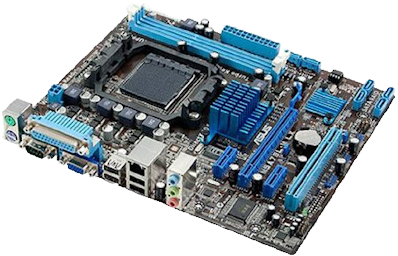
$63.60electronic link to Asus M5A78L-M LX Plus Motherboard
 |
recommend electronic⇒Asus M5A78L-M LX Plus Motherboard |
| asin |
B005WUUFBW |
|---|
| Low cost motherboard for the ATX form factor. It has an AM3+ socket for CPUs up to 125 watts, e.g. FX-8150 Bulldozer/Zambezi with eight cores. It has in itegrated ATI HD 3000 GPU video. Up to 8 Gig of DDR-3 1866MHz RAM (not counting overclocking). 6 SATA-2 ports, 2 USB-3, 10 USB-2, 1 x PCIe 2.0 x16, 2 x PCIe 2.0 x1, 3 x PCI. No onboard video. The main weaknesses are the lack of SATA-3 and max RAM limit of 8 Gig. Specifications. |
|
| Greyed out stores probably do not have the item in stock |
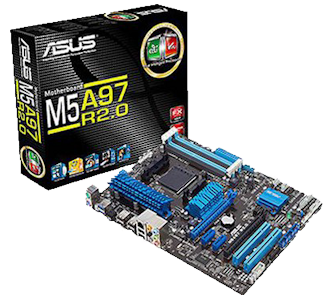
$83.92electronic link to ASUS M5A97 R2.0 motherboard, AM3, ATX
 |
recommend electronic⇒ASUS M5A97 R2.0 motherboard, AM3, ATX |
| asin |
B008V9959O |
|---|
| AMD 970 chipset, SATA 3 - 6Gb/s, DDR 2133, 4 DIMM slots, 6 SATA 3 ports, Ethernet, 8-channel audio, 2 × USB3, 12 × USB2, 1 × PCIe 2.0 x16 (blue), 1 × PCIe 2.0 x16 (x4 mode, black), 2 × PCIe 2.0 x1, 2 × PCI. TPU switch for auto-overclocking. EPU switch for low energy mode. There are specialised processors to control the TPU and EPU features. Specs. |
|
| Greyed out stores probably do not have the item in stock |
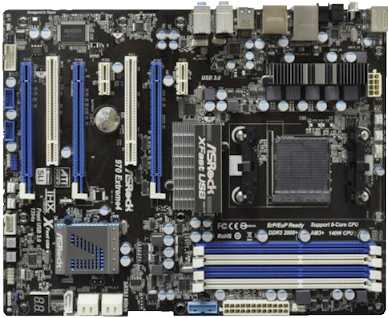
$109.93electronic link to ASRock 970 EXTREME4
 |
recommend electronic⇒ASRock 970 EXTREME4 |
| asin |
B005AOFJE8 |
|---|
| Has AM3+ slot. ATX form factor. Suitable for 8-core CPU such as the AMD FX-8350. Supports up to a 140 Watt CPU. That means it will not support the FX-9590 which consumes 240 watts. 3 × PCIe 2.0 x16. 2 × PCIe x1. 2 × PCI. Supports Dual Channel DDR3 2100(OC). 4 DIMM Slots up to 8GB each for a total of 32 GB. 4 × USB 2, 2 × USB 3, 1 × serial, 5 × SATA3, 2 × IEEE 1394, 7.1 CH Realtek ALC892 Audio Codec. 1 × Ethernet port. Has no onboard video. You will need some sort of Video card. Specs. |
|
| Greyed out stores probably do not have the item in stock |
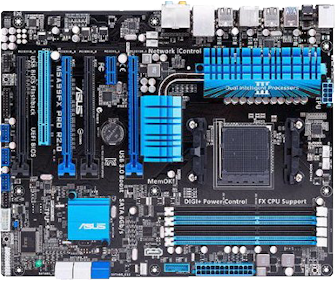
$118.99electronic link to ASUS M5A99FX PRO R2.0
 |
recommend electronic⇒ASUS M5A99FX PRO R2.0 |
| asin |
B008B6ONXK |
|---|
| AM3+ socket. Suitable for 8-core CPU such as the AMD FX-8350. ATX form factor. Supports up to a 140 Watt CPU. That means it will not support the FX-9590 which consumes 240 watts. 4 × USB-3 with USASP. 14 × USB-2, 7.1 audio. DDR-3 2133. 4 × 8GB DIMM. 2 × PCIe 2.0 x16 (dual x16). 2 × PCIe 2.0 x16 (x4 mode, black). 1 × PCIe 2.0 x1. 1 × PCI. 5 × 6 GB SATA. 1 × Ethernet port. 1 × com port. Has no onboard video. You will need some sort of Video card. Specs. |
|
| Greyed out stores probably do not have the item in stock |
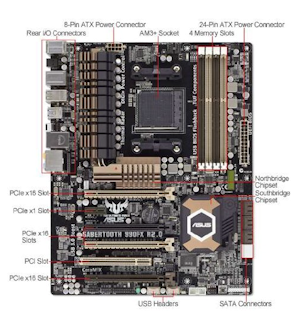
$169.39electronic link to ASUS Sabertooth 990FX Motherboard
 |
recommend electronic⇒ASUS Sabertooth 990FX Motherboard |
| asin |
B008YDJHWM |
|---|
| This board is ruggedised ATX form factor. It will handle high heat. It has a 5 year warranty. It has an AM3+ socket for Suitable for 8-core CPU such as the AMD FX-8350. Supports up to a 140 Watt CPU. That means it will not support the FX-9590 which consumes 240 watts. Up to 32 Gig of DDR-3 1866MHz RAM (not counting overclocking). 6 × SATA-3 6 GB ports, 4 × SATA 3GB ports, 4 × USB-3, 14 × USB-2, 4 × PCIe 2.0 x16, 1 × PCIe 2.0 x1, 1 × PCI. 1 × Ethernet. 8-channel audio. 2 × IEEE 1394a ports. Has no onboard video, but supports up to quad video cards. Specifications. |
|
| Greyed out stores probably do not have the item in stock |
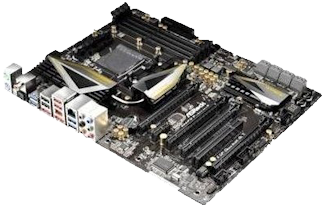
$191.68electronic link to ASRock 990FX EXTREME9 AM3+ ATX Motherboard
 |
recommend electronic⇒ASRock 990FX EXTREME9 AM3+ ATX Motherboard |
| asin |
B00DCW23E4 |
|---|
| This is AsRock’s premium motherboard. The capacitors are literally gold plated, not for any practical reason, just to show off. It has three triangular alumium fins that conjure up Batman, but which also have practical value in cooling. Supports 8-core AMD CPU such as the FX 8350 and even the FX 9590. This is one of the few motherboards capable of running the AMD FX 9590. If you run an AMD FX 9590, you had better get a liquid cooled system. Amazon sells this motherboard under 6+ different part numbers, at 6+ different prices. Ack! AM3+ slot. Supports Dual Channel DDR3 2450(OC). 4 × 240-pin DIMM slots giving 64 GB!!. 4 × PCIe 2.0 x16. 1 × PCIe 2.0 x1. 1 × PCI. 8 × SATA3. 2 × eSATA3. 8 × USB 3.0. 8 × USB 2.0. 1 × Intel Gigabit Ethernet. Fast Boot: 1.5 seconds to start windows. No onboard video. You will need a video card. GUI BIOS interface. Specs. |
|
| Greyed out stores probably do not have the item in stock |
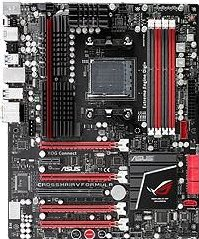
$219.99electronic link to Asus Crosshair V 990FX Formula Motherboard
 |
recommend electronic⇒Asus Crosshair V 990FX Formula Motherboard |
| asin |
B00906DHLE |
|---|
| This is a high performance gaming keyboard. It has an AM3+ socket for CPUs up to 140 watts, e.g. FX-8150 Bulldozer/Zambezi with eight cores. Up to 32 Gig of DDR-3 1600MHz RAM (not counting overclocking). 6 SATA-3 ports, 4 SATA ports, 2 USB-3, 6 USB-2, 4 x PCIe 2.0 x16, 1 x PCIe 2.0 x1, 1 x PCI. Has no onboard video, but supports up to quad video cards. Mainly what you get for the extra cost is ROG features to removetly tweak the overclocking. Specifications. |
|
| Greyed out stores probably do not have the item in stock |
Motherboard Descriptor Language
I have found it take hours and hours to collect information about motherboards,
and to compare them. I propose that we adopt a standard MDL (Motherboard Descriptor Language)
where a motherboard is described in a standard way, using XML (extensible Markup Language).
If vendors provided MDL
files for all their products, then retailers could generate catalogs and websites
with the entire catalog with almost no work. It would also be much easier to compare
two different motherboards. A computer program could highlight the differences. We
could also put these into a database and search for motherboards fitting any given
set of specifications. Eventually there should be similar specifications for disks,
RAM,
DVD (Digital Video Disc)
burners, CPUs, etc. If you have any ideas on improving the
MDL
language, let me know. Also if you have any motherboard descriptions, please pass
them on and I will work on setting up an online database of them. Here is a sample
description of the ASUS M5A88-M motherboard I own.
- If the count is 0, you can leave out the other
attributes, or even the entire line.
- no attributes may be left out.
- Everything is case-sensitive, including the units of measure: GHz, GB, Gb/s,
KB, MB, Mhz, cm, in, mm.
- Otherwise all fields and attributes are mandatory.
- Fields should appear in alphabetical order as shown.





