


A suite of utilities sold separately:
The software to burn CDs and DVDs (Digital Video Discs) comes part of Nero 2016 Platinum, Nero 2016 Classic and Nero Burning ROM (Read Only Memory). Nero Burning ROM is the cheapest way to get it . The formerly free BurnLite is now a part of MediaHome. The older free ExpressBurn is no longer available. However, you might find old versions still posted on the Internet.
Nero is a German company that makes a large number of small programs useful for creating CD (Compact Disc) s, DVD (Digital Video Disc) s and Blu-Ray disks. Some of the programs are useful for video editing. Nero then bundles these programs up in various ways with a non-descriptive name. Each year they rename all the bundles and change just which features they include. The website gives only the sketchiest and abstract description of what each program does. Happily they have a try before you buy policy so you can try out programs to make sure they have the features you need.
The main complaint I have with Nero is the menus are dripping with features that you would almost never use. This make finding the options you do want quite difficult. The progress displays are designed to entertain a technogeek, not the average user who just wants to know how much longer until the work is done.
My other main complaint is the utilities are not designed to be used unattended in a bat file. You must shepherd them step by step with the GUI (Graphic User Interface). I see this as the programmers being too much in love with his creation and cannot bear the thought of anyone using it unattended and un-fully appreciated in the background.
Every few months Nero, repackages its code into different bundles and renames everything. I gather this is a way of making people buy packages anew rather that getting/expecting free upgrades.
Nero is chaotic about version numbers. Each product has a version number on the website, one on the about box and yet another in the XML (extensible Markup Language) used to detect the need for automatic updates. To say the least, this is confusing.
I count about a dozen minor errors in the part of the free program that copies a CD. I have twice reported these to Nero and they have just jerked me around pretending not to understand and needing to know irrelevant things like my maternal grandmother’s maiden name (I exaggerate) before they can fix it. You can still use it, but you have to ignore the prompts. That degree of sloppiness bothers me. It is as though they never tested the program even once on a naïve user. You should be able to trust the prompts to tell you what to do. Further, if the disc is badly scratched it just gives up. It will not copy what it can.
This includes video editing, burning and backup.
Bundle includes:
Mainly Platinum adds Blu-Ray support.
This is a very complete program for burning CD s, DVDs and Blu-Ray discs in every format known to man, including a proprietary format that records redundant information to help in recovery from damaged discs. The designed it to be compatible with ordinary formats. You need to use a utility to access the recovery information if you have trouble. They put a copy on each DVD.
You can create a constellation file, so you don’t have to specify which directories to burn every time. They support over a dozen different constellation formats. Run NeroCmd.exe to learn the command line options.
I found one minor bug. It would not let me embed the date in the disc label in ISO (International Standards Organisation) YYYY-MM-DD format. It looks as if it intended to, but it failed.
If you upgrade a from a free product it is much cheaper.
You’d think this should be more expensive than Nero Burning ROM, but Burning ROM is considerably more complicated. This program is specialised to handle the problem of backing up files. It can handle spilling over onto multiple CD s. It has built-in compression. It can restore system files and entire partitions. I don’t see any mention of constellations.
The program is currently called Nero Media Home. I have not experimented with the most recent incarnation. The previous one was an insult. . Before that it was called Nero KwikMedia. Before that Nero Quick Burn. Before that it was called Nero BurnLite. Before that it was called Nero Lite. BurnLite was the best incarnation. The current one does things other than backup and hence takes much longer to start. The big attraction is it is free. Unfortunately it no longer does anything useful. It just offers to sell you some product any time you ask it to do something. You have to buy two add-ons before it does anything useful.
It can backup files to DVD and CD s. It is pure GUI, no command line control, no configurations. It is very simple to use, something you could give your grandmother. It has no geekish clutter. It creates a bit-map image of the DVD on hard disk, a chunk as a time as it is burning. This way it does not need 5Gb of free space to run. As it is creating the first chunk, this process it looks as if nothing is happening. I thought it has crashed the first time I used it. The progress indicators are confusing It does not make a noise to let you know it has completed. You have to notice visually and click exit. I find this annoying, since I usually leave my computer to hum when it is doing backups. Once the program is loaded, it backs up quite quickly. You cannot use it unattended. For alternatives, see CD burning.
At one point it rudely insisted on installing the Ask toolbar. You could get rid of it later with the control panel. Now it just tries to trick you into installing unrelated junk. Make sure you select custom during the install, or you won’t get to select the install drive. It sets up two items in the control panel uninstall. That is normal. There was a bug that I reported twice that survived half a dozen updates that if you clicked options, it would crash. They finally corrected it on 2011-11-16. If it stops working, uninstall, manually delete all Nero directories, scrub the registry of dangling entries, reboot and install from scratch with a freshly downloaded version. If it says ATL100.DLL is missing, you must install the Visual C++ 32 bit runtimes.
After a crash, you will have to download a new copy of Nero KwikMedia or get one from backup. Depending on the severity of the crash, it may ask you for a serial number. You can’t get this from the program. You have to either have written it down when you purchased something, or first installed it, or by downloading and running NeroSerialFinder. Start Nero KwikMedia, login and magically the add-ons you bought previously will download and install themselves. You don’t even have to click . The burned discs, at least ones where all the data fit on one disc, can be read without Nero software. The disadvantage of this is there is no compression.
$14.26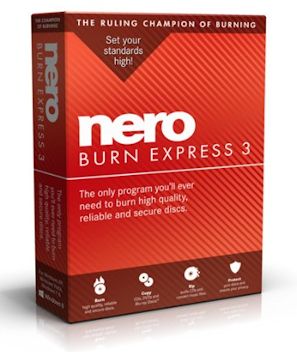 |
recommend electronic⇒Nero Burn Express 3 | |||||||||||||||||||||||||||||||||||||||||||||
| asin | B00FB5R6L0 | |||||||||||||||||||||||||||||||||||||||||||||
|---|---|---|---|---|---|---|---|---|---|---|---|---|---|---|---|---|---|---|---|---|---|---|---|---|---|---|---|---|---|---|---|---|---|---|---|---|---|---|---|---|---|---|---|---|---|---|
 | ||||||||||||||||||||||||||||||||||||||||||||||
| I think this package has been discontinued. It is not mentioned on the Nero website. It is a basic burn a DVD program. | ||||||||||||||||||||||||||||||||||||||||||||||
| ||||||||||||||||||||||||||||||||||||||||||||||
| Greyed out stores probably do not have the item in stock | ||||||||||||||||||||||||||||||||||||||||||||||
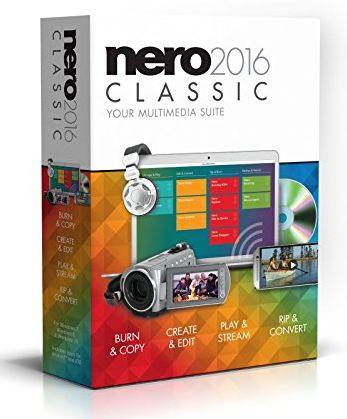 |
recommend electronic⇒Nero 2016 Classic | |||||||||||||||||||||||||||||||||||||||||||||
| asin | B015NXUOV8 | |||||||||||||||||||||||||||||||||||||||||||||
|---|---|---|---|---|---|---|---|---|---|---|---|---|---|---|---|---|---|---|---|---|---|---|---|---|---|---|---|---|---|---|---|---|---|---|---|---|---|---|---|---|---|---|---|---|---|---|
| Comes on DVD or via download. This is the mid-range package that contains 14 of the Nero components including Nero Burning ROM, Nero Express, Nero Recode and Nero Backit Up. Copies and burns CDs, DVDs, and Blu-ray Discs. Rips CDs, DVDs, and AVCHDs. Streaming Player App for streaming and playback on smartphones, tablets, Xbox, PlayStation, smart TVs, and other Wi-Fi players. You can also buy it directly from Nero. Look for premiums, it is often sold less than half list price. | ||||||||||||||||||||||||||||||||||||||||||||||
| ||||||||||||||||||||||||||||||||||||||||||||||
| Greyed out stores probably do not have the item in stock | ||||||||||||||||||||||||||||||||||||||||||||||
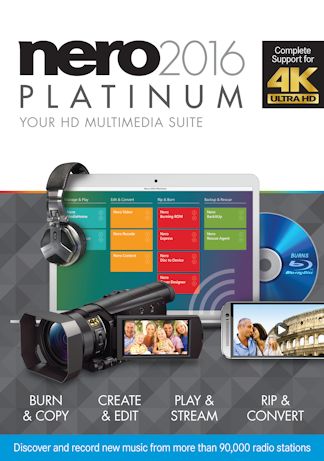 |
recommend electronic⇒Nero 2016 Platinum | |||||||||||||||||||||||||||||||||||||||||||||
| asin | B017Y9SCU4 | |||||||||||||||||||||||||||||||||||||||||||||
|---|---|---|---|---|---|---|---|---|---|---|---|---|---|---|---|---|---|---|---|---|---|---|---|---|---|---|---|---|---|---|---|---|---|---|---|---|---|---|---|---|---|---|---|---|---|---|
| 124 MB download or DVD. This is the deluxe package that contains 15 of the Nero components including Nero Burning ROM, Nero Express, Nero Recode and Nero Backit Up. Copies and burns DVDs, and Bluray discs. Rips CDs, DVDs, AVCHDs, and Bluray discs. Conversion of video, photo, and audio formats. Playback of photos, 4K videos, DVDs, AVCHDs, music, and slide shows. You can also buy it directly from Nero. Look for premiums, it is often sold less than half list price. | ||||||||||||||||||||||||||||||||||||||||||||||
| ||||||||||||||||||||||||||||||||||||||||||||||
| Greyed out stores probably do not have the item in stock | ||||||||||||||||||||||||||||||||||||||||||||||
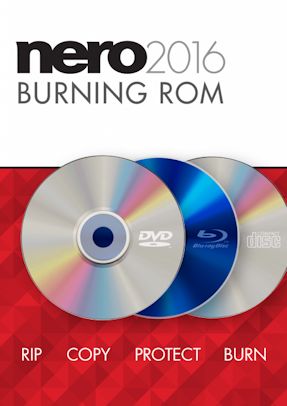 |
recommend electronic⇒Nero 2016 Burning ROM | |||||||||||||||||||||||||||||||||||||||||||||
| asin | B0169AQOZO | |||||||||||||||||||||||||||||||||||||||||||||
|---|---|---|---|---|---|---|---|---|---|---|---|---|---|---|---|---|---|---|---|---|---|---|---|---|---|---|---|---|---|---|---|---|---|---|---|---|---|---|---|---|---|---|---|---|---|---|
| Comes on DVD or via download. This is the entry-level package that contains 14 of the Nero components including Nero Burning ROM, Nero Express, Nero Recode and Nero Backit Up. Burn photos, videos, and music from your media library. Support for MP3, MP3 PRO, AAC, FLAC, APE, and other audio formats. You can also buy it directly from Nero. | ||||||||||||||||||||||||||||||||||||||||||||||
| ||||||||||||||||||||||||||||||||||||||||||||||
| Greyed out stores probably do not have the item in stock | ||||||||||||||||||||||||||||||||||||||||||||||
 |
This page is posted |
http://mindprod.com/bgloss/nero.html |
Optional Replicator mirror
|
J:\mindprod\bgloss\nero.html | |
 |
Please read the feedback from other visitors,
or send your own feedback about the site. Contact Roedy. Please feel free to link to this page without explicit permission. | |
| Canadian
Mind
Products
IP:[65.110.21.43] Your face IP:[216.73.217.43] |
| |
| Feedback |
You are visitor number | |


