


| Introduction | Brands |
| Understanding the Specifications | Shopping for a Hard Disk |
| SATA and RAID | Links |
| Installing a New Drive |
The computers main storage for programs and information. In past PC (Personal Computer) s used hard disks as small as 5 megabytes; today the smallest manufactured is 80 gigabytes, or 80,000 megabytes. I mere 2 gig was adequate for Windows-95. The two most common type of hard disks are SATA (Serial ATA) and SCSI (Small Computer System Interface).
The main specification is the capacity in gigabytes, or billions of characters. 1 gigabyte is equivalent to about 2 CDs (Compact Discs) full of information. The main reason you need a large hard disk is if you cache CDs on your hard drive, collect mp3 music, or pornographic images or games with huge sets of background images or animations.
Little mechanical arms sweep over the rotating magnetic disk surfaces inside the disk. The faster they can move to get to the data you want, the more responsive the disk. The time it takes to traverse 1/3 the distance from outer edge to innermost track is called the average seek time. The smaller this number is, the better. Typical seek times might be 7 milliseconds.
Once the seek is complete, you still have to wait for the data you want to spin around under the read heads. The higher the RPM (Revolutions Per Minute) and the faster it will get to the data you want and the better the sustained transfer rate, Last revised/verified: 2012-01-21 Good drives are 7200 RPM, economy ones 5400, premium ones 10,000.
The more cache memory is the drive the faster it will run. Good drives would have 64 MB, economy ones about 16 MB. Fluid bearings will make the drive quieter. The higher the rated transfer rate the better. ATA (Advanced Technology Attachment) 100 = 100 megabytes per second transfer rate, ATA 66 = 66 MB/sec, ULTRASYNC 33 = 33 MB/sec. SATA (ATA150) is 150 megabytes per second. The smaller the seek time the better, good drives are under 4 milliseconds average access time. Economy drives come in around 10 ms.
RAID comes in several levels:
| RAID Levels | |||
|---|---|---|---|
| RAID Level | Minimum Number of Disks Needed |
What it Buys You | How It Works |
| 0 | 2 | extra speed | interleaved striping |
| 1 | 2 | extra reliability | hot mirror backup |
| 2 | 2 | extra reliability | Hamming code ECC disks. No commercial implementation exists. |
| 3 | 3 | extra reliability | parity info enables correcting errors on the fly |
| 4 | 3 | extra reliability | shared parity disk |
| 5 | 3 | extra reliability | stripes both data and parity info |
| 6 | 4 | extra reliability | Independent data disks with two independent parity |
| 10 | 4 | extra reliability and speed | striping and mirroring |
| 50 | 4 | extra reliability and speed | Ganging RAID 0 and 3 together. |
| 0+1 | 4 | extra reliability and speed | Ganging RAID 0 and 1 together. |
For home use, you are probably only interested in levels 0 (speed) or 1 (safety).
With a SATA drive, you need a SATA-capable, RAID-capable motherboard or add-on PCI (Peripheral Component Interconnect) SATA controller. You can also use SATA on a single disk without RAID. SATA drives are pretty well standard now. Of course, for RAID, you have the added expense of twice as many drives.
Back everything up before you add a new drive or change partitions. Often your system will become unbootable or unusable in the process and you may end up having to reinstall everything from scratch.
You must divide the drive into partitions e.g. C: D: E:. I find it wise to use a small C: partition with mainly just Windows on it and apps that insist on C:. If it does south it does not take all your data with it. You can easily Norton Ghost it in its entirely easily if it is not too big. Avoid Dynamic Disk partitioning. For optimal speed, just pad out each partition with a little growing room and leave all your free space unassigned at the end. You can use PartitionMagic to shuffle partitions later to add free space into whichever one needs it.
If you old disk is still working, it is easier, safer and faster to install your new disk as a second one. Get it working as a non-bootable disk. Copy partitions over with Boot-It or other partition manager, then install your OS (Operating System) on the new drive if necessary. All this time you can still get work done with your old drive. When you are done, you can repurpose your old drive as an attic, a backup, or remove it.
If you add a new hard disk or change your partitions, sometimes all hell will break loose because Windows or NT will reassign the drive letters of the existing partitions. All your software will stop working. Not to panic! First use BareMetal or similar tool that is self-booting to select the correct partition for booting. Then once you have booted Windows, you can use the start ⇒ programs ⇒ administrative tools ⇒ Disk Administrator ⇒ Tools ⇒ Assign Drive Letter to put the drive letters back the way they used to be. Repair the drive assignments before you do anything else! Don’t install any new software until you have the drive letter assignments repaired.
If you are using Windows 95/98/ME, I think you are S.O.L. If anyone knows a fix, please let me know.
Don’t reassign new drive letters to existing partitions. If you do, any software on them will stop working. There are reputedly tools that will let you do this and fix the registry to track the new assignments, but that is a bit like doing brain surgery with a Swiss Army knife. These tools reputedly can also move applications from partition to partition.
You should not change the partition that you boot a NT/Windows 2000 from. If you do you, will create a new registry on that partition. It will know nothing about the apps you have already installed. They are recorded in the registry on the old boot partition. Very clever people know how to transplant information between registries, but this is tricky and not for the faint of heart.
Maxtor brand drives are more reliable than average, but run hotter. Their DiamondMax line are 7200 RPM and their Fireball line are 5400 RPM. The MaxLine drives are ultra high capacity. Maxtor bought out Quantum’s hard disk division. Seagate are less reliable than average. Western Digital is now offering a 3 year warranty. WD Has many lines:
| Western Digital Product Lines | ||
|---|---|---|
| Line | Colour | Notes |
| Caviar | blue | economy |
| Caviar | green | cool-running, slows down when idle. Intelli-seek; they seek so as to arrive just as the data rotates by, not unnecessarily faster, just using less power. |
| Caviar | black | high performance, dual processor |
| Caviar | red | NAS (Network Attached Storage) drives. |
| VelociRaptor | 10,000 RPM. You pay a huge premium for a 10,000 RPM disk which is only 33% faster transfer rate. | |
| Scorpio | black | 7200 RPM. low power for notebooks. |
| Scorpio | blue | 5400 RPM, economy for notebooks |
| Mainstream | economy, non-RAID, no-touch heads. | |
| Enterprise | RAID | |
Prices are illogical. Faster is not necessarily more expensive, neither is bigger.
$31.87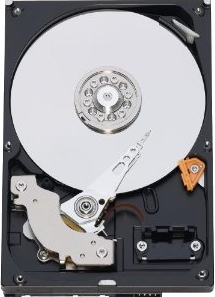 |
recommend electronic⇒Western Digital Caviar Blue 1TB Hard Drive | |||||||||||||||||||||||||||||||||||||||||||||
| asin | B0088PUEPK | |||||||||||||||||||||||||||||||||||||||||||||
|---|---|---|---|---|---|---|---|---|---|---|---|---|---|---|---|---|---|---|---|---|---|---|---|---|---|---|---|---|---|---|---|---|---|---|---|---|---|---|---|---|---|---|---|---|---|---|
| model WD10EZEX, 3.5 Inch, 64 MB Cache, 7200 RPM, SATA III 6 Gb/s. specifications. | ||||||||||||||||||||||||||||||||||||||||||||||
| ||||||||||||||||||||||||||||||||||||||||||||||
| Greyed out stores probably do not have the item in stock | ||||||||||||||||||||||||||||||||||||||||||||||
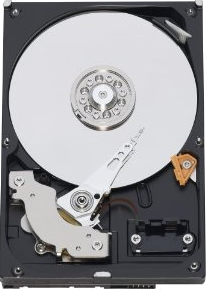 |
recommend electronic⇒Western Digital Caviar Blue 250GB Hard Drive | |||||||||||||||||||||||||||||||||||||||||||||
| asin | B00461K1QW | |||||||||||||||||||||||||||||||||||||||||||||
|---|---|---|---|---|---|---|---|---|---|---|---|---|---|---|---|---|---|---|---|---|---|---|---|---|---|---|---|---|---|---|---|---|---|---|---|---|---|---|---|---|---|---|---|---|---|---|
| model WD2500AAKX, 3.5 Inch, 16 MB Cache, 7200 RPM, SATA-3 6 Gb/s. specifications. | ||||||||||||||||||||||||||||||||||||||||||||||
| ||||||||||||||||||||||||||||||||||||||||||||||
| Greyed out stores probably do not have the item in stock | ||||||||||||||||||||||||||||||||||||||||||||||
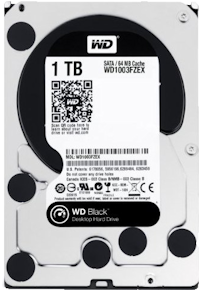 |
recommend electronic⇒Western Digital Black 1 TB SATA III 7200 RPM Hard Drive | |||||||||||||||||||||||||||||||||||||||||||||
| asin | B00FJRS6FU | |||||||||||||||||||||||||||||||||||||||||||||
|---|---|---|---|---|---|---|---|---|---|---|---|---|---|---|---|---|---|---|---|---|---|---|---|---|---|---|---|---|---|---|---|---|---|---|---|---|---|---|---|---|---|---|---|---|---|---|
| WD1003FZEX, high performance, high power consumption. 1 TB, 3.5 Inch, 64 MB Cache, 7200 RPM, SATA-3 6 Gb/s. Also comes in 2 , 3 and 4 TB sizes. This drive is almost identical to the older WD1002FAEX model, but it much cheaper. Specs. | ||||||||||||||||||||||||||||||||||||||||||||||
| ||||||||||||||||||||||||||||||||||||||||||||||
| Greyed out stores probably do not have the item in stock | ||||||||||||||||||||||||||||||||||||||||||||||
 |
recommend electronic⇒Western Digital Caviar Green 500GB Hard Drive | |||||||||||||||||||||||||||||||||||||||||||||
| asin | B006GDVSMO | |||||||||||||||||||||||||||||||||||||||||||||
|---|---|---|---|---|---|---|---|---|---|---|---|---|---|---|---|---|---|---|---|---|---|---|---|---|---|---|---|---|---|---|---|---|---|---|---|---|---|---|---|---|---|---|---|---|---|---|
| model WD5000AZDX, 3.5 Inch, 32 MB Cache, 7200 RPM, SATA-3 6 Gb/s. specifications. | ||||||||||||||||||||||||||||||||||||||||||||||
| ||||||||||||||||||||||||||||||||||||||||||||||
| Greyed out stores probably do not have the item in stock | ||||||||||||||||||||||||||||||||||||||||||||||
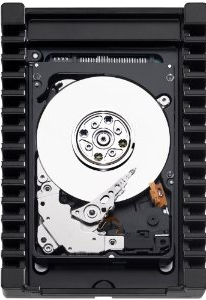 |
recommend electronic⇒Western Digital VelociRaptor 300GB Hard Drive | |||||||||||||||||||||||||||||||||||||||||||||
| asin | B005CGDSDI | |||||||||||||||||||||||||||||||||||||||||||||
|---|---|---|---|---|---|---|---|---|---|---|---|---|---|---|---|---|---|---|---|---|---|---|---|---|---|---|---|---|---|---|---|---|---|---|---|---|---|---|---|---|---|---|---|---|---|---|
| Model WD3000HLHX, 3.5 Inch, 32 MB Cache, 10,000 RPM, SATA-3 6 Gb/s. This is the fastest series of drives. You pay quite a premium for the 33% increase is rotation speed. specifications. | ||||||||||||||||||||||||||||||||||||||||||||||
| ||||||||||||||||||||||||||||||||||||||||||||||
| Greyed out stores probably do not have the item in stock | ||||||||||||||||||||||||||||||||||||||||||||||
 |
recommend electronic⇒Western Digital Caviar Green 1TB Hard Drive | |||||||||||||||||||||||||||||||||||||||||||||
| asin | B006GDVREI | |||||||||||||||||||||||||||||||||||||||||||||
|---|---|---|---|---|---|---|---|---|---|---|---|---|---|---|---|---|---|---|---|---|---|---|---|---|---|---|---|---|---|---|---|---|---|---|---|---|---|---|---|---|---|---|---|---|---|---|
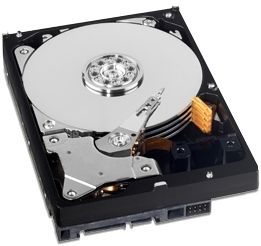
| This is what I use myself. It arrived 2012-04-27. It was easy to set up. I just connected the SATA power and data connectors, booted and used Boot-It Bare Metal to copy the partitions from my old drive to the new. Model WD10EZRX, 3.5 Inch, 32 MB Cache, 7200 RPM, SATA-3 6 Gb/s. The RPM is variable. It speeds and slows depending on load to lower power consumption. It calculates optimum seek speeds to lower power consumption, noise and vibration. The fans drown out any noise it makes. It arranges that the heads arrive from the seek just as the data rotates into place, not unnecessarily sooner. specifications. jumper settings. The 8 pins for jumpers normally have no jumpers on them. You might mistake them for some sort of male pin connector. It comes without any cables, screws or mounting hardware. There is a similar model the WD10EARX which uses more power but has twice the operating shock resistance. | ||||||||||||||||||||||||||||||||||||||||||||||
| ||||||||||||||||||||||||||||||||||||||||||||||
| Greyed out stores probably do not have the item in stock | ||||||||||||||||||||||||||||||||||||||||||||||
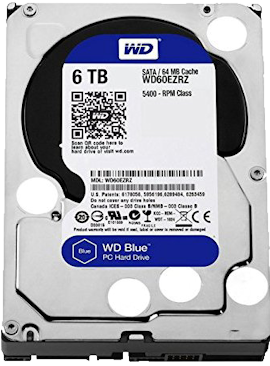 |
recommend electronic⇒Western Digital Blue 6TB WD60EZRZ Desktop Hard Disk Drive | |||||||||||||||||||||||||||||||||||||||||||||
| asin | B013HNYVCE | |||||||||||||||||||||||||||||||||||||||||||||
|---|---|---|---|---|---|---|---|---|---|---|---|---|---|---|---|---|---|---|---|---|---|---|---|---|---|---|---|---|---|---|---|---|---|---|---|---|---|---|---|---|---|---|---|---|---|---|
| 6TB, 5400 RPM, Sata 6 Gb/s, 64 MB Cache, 3.5 inch. If you want a 7200 RPM 6 TB model, go for the black series. | ||||||||||||||||||||||||||||||||||||||||||||||
| ||||||||||||||||||||||||||||||||||||||||||||||
| Greyed out stores probably do not have the item in stock | ||||||||||||||||||||||||||||||||||||||||||||||
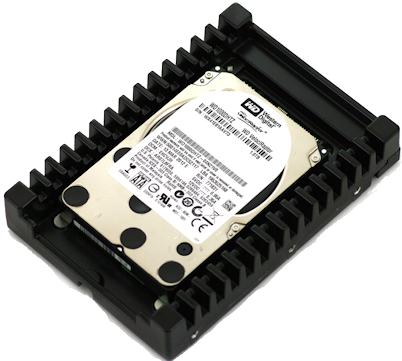 |
recommend electronic⇒Western Digital VelociRaptor 1TB Hard Drive | |||||||||||||||||||||||||||||||||||||||||||||
| asin | B007VPGJIY | |||||||||||||||||||||||||||||||||||||||||||||
|---|---|---|---|---|---|---|---|---|---|---|---|---|---|---|---|---|---|---|---|---|---|---|---|---|---|---|---|---|---|---|---|---|---|---|---|---|---|---|---|---|---|---|---|---|---|---|
| Model WD1000DHTZ, 3.5 Inch, 64 MB Cache, 10,000 RPM, SATA-3 6 Gb/s. This is the fastest series of drives. You pay quite a premium for the 33% increase is rotation speed. specifications. | ||||||||||||||||||||||||||||||||||||||||||||||
| ||||||||||||||||||||||||||||||||||||||||||||||
| Greyed out stores probably do not have the item in stock | ||||||||||||||||||||||||||||||||||||||||||||||
 |
This page is posted |
http://mindprod.com/bgloss/harddisk.html |
Optional Replicator mirror
|
J:\mindprod\bgloss\harddisk.html | |
 |
Please read the feedback from other visitors,
or send your own feedback about the site. Contact Roedy. Please feel free to link to this page without explicit permission. | |
| Canadian
Mind
Products
IP:[65.110.21.43] Your face IP:[216.73.217.11] |
| |
| Feedback |
You are visitor number | |


