⇐ png graphic icon, not text.
| Make your Email Icon | Extra security |
| Using the Icons | Nexodyne |
| Doctoring | Links |
| Notes |
 .
. Get New Java
Get New Browser
Get New Java
Get New Browser

| Rendering Email addresses | ||
|---|---|---|
| Effect | How it Renders | HTMLneeded |
| mailto text link | Click to email Roedy Green at myid@mydomain.com | |
| linked graphic | Click to email Roedy Green | |
| embedded graphic | email Roedy Green at |
Some browsers (i.e. IE) may not render the transparent background of the email address correctly. |
| embedded graphic on coloured background | email Roedy Green at |
Some Some browsers (i.e. IE) may not render the transparent background of the email address correctly. |
| public posting in a newsgroup |
Roedy Green’s email address is posted at: http://mindprod.com/image/mailto/roedy.png |
Roedy Green’s email address is posted at: http://mindprod.com/image/mailto/roedy.png |
When you use the images embedded in small type you may have trouble getting them to align or to avoid creating excess blank space between lines. Shrink the images to roughly the size of the type with the CSS (Cascading Style Sheets) height parameter; then they will behave.
For very old browsers that have no *.png support at all, you can save the images as *.gifs. Doctoring this way will lose the nicely feathered transparency around the letters. The images will look best on a pure white background, unlike the originals that will work on any colour. On the other hand, doctored images are smaller.


| Package | Version | Released | Licence | Language | Notes | ||
|---|---|---|---|---|---|---|---|
Masker |
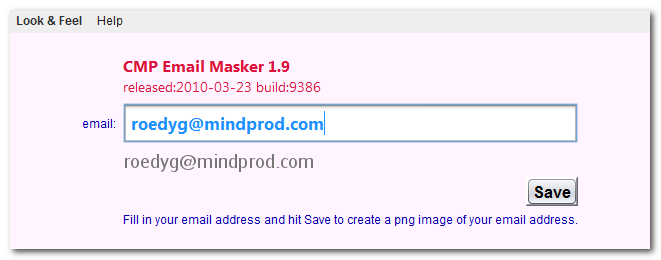
1.9 | 2010-03-23 | free | Java |  ❘ precis
❘ screenshot
❘ browse source repository
❘ precis
❘ screenshot
❘ browse source repository
for the current version of Masker. Helps hide email addresses from spam harvesters.  577K
zip for Masker Java source, compiled class files, jar and documentation to run on your own machine either as an application or an Applet.
577K
zip for Masker Java source, compiled class files, jar and documentation to run on your own machine either as an application or an Applet.
Runs on any OS that supports Java e.g. W2K, XP, W2003, Vista, W2008, W7-32, W7-64, W8-32, W8-64, W2012, W10-32, W10-64, Linux, LinuxARM, LinuxX86, LinuxX64, Ubuntu, Solaris, SolarisSPARC, SolarisSPARC64, SolarisX86, SolarisX64 and OSX. First install the most recent Java. To install, extract the zip download with WinZip, (or similar unzip utility) into any directory you please, often J:\ — ticking off the use folder names option. To check out the corresponding source from the Subversion repository, use the TortoiseSVN repo-browser to After you have installed the jar, you can run it as an application. Type: java -jar J:\com\mindprod\masker\masker.jar
adjusting as necessary to account for where the jar file is. download ASP PAD XML program description for the current version of Masker. Masker is free. Full source included. You may even include the source code, modified or unmodified in free/commercial open source/proprietary programs that you write and distribute. Non-military use only. |
||
 |
This page is posted |
http://mindprod.com/applet/masker.html |
Optional Replicator mirror
|
J:\mindprod\applet\masker.html | |
 |
Please read the feedback from other visitors,
or send your own feedback about the site. Contact Roedy. Please feel free to link to this page without explicit permission. | |
| Canadian
Mind
Products
IP:[65.110.21.43] Your face IP:[216.73.217.43] |
| |
| Feedback |
You are visitor number | |