


 Tomcat
Apache is a group of people, not a company, who make an opensource webserver. They refer to the open source project as Jakarta. There are several parts to Tomcat. Tomcat itself is the supervisor. It hosts Catalina to serve as a womb for Servlets. It hosts Jasper to handle JSP (Java Server Pages). It hosts Coyote to handle vanilla HTTP (Hypertext Transfer Protocol) serving. However, it is common for people to add on the Apache HTTPD Web server version 2.4.29 Last revised/verified: 2017-10-23 for high performance HTTP serving. It runs beside, not under Tomcat.
All of this is free. It is easy to set up. It does not support EJB. Tomcat is now considered ex-Jakarta, but still Apache. What that means practically, I have no idea. Tomcat is version 9.0.8 Last revised/verified: 2018-04-09 handles Servlets 3.0 and JSP 2.2 Last revised/verified: 2012-12-12 On Windows it comes with an installer. After you have installed, set up the environment in the control panel.
Then invoke X:\Program Files\tomcat-9.0.8\bin\startup.bat to launch Tomcat. In your browser type http://localhost:8080 and you will see a web page served by Tomcat sporting a green and yellow colour scheme, a cat and a feather if all went according to plan. Note that is localhost:8080 not localhost:80. You can then run the various examples. Use X:\Program Files\tomcat-9.0.8\bin\shutdown.bat to shut Tomcat down. Glassfish is a common faster alternative that in addition handles EE (Enterprise Edition).
The main thing you have to configure is a list of file extensions and their corresponding MIME (Multipurpose Internet Mail Extensions) types.
| Tomcat Directories | |
|---|---|
| Directory | Use |
| bin | Executables, startup.bat, shutdown.bat and *.sh files to control taking Tomcat up and down. |
| conf | *.policy, *.properties and *.xml files to configure Tomcat. |
| lib | *.jar files. |
| logs | logs of what Tomcat did. |
| temp | temporary work space. |
| webapps | Has a tree structure like the equivalent statically-served web pages. Instead of *.html files, it mostly has *.jsp files. Also contains *.html, *.gif, *.png, *.jpg, *.svg etc. files served statically. |
| webapps/docs | Where to extract the documentation tar file. |
| webapps/ROOT/WEB-INF/web.xml | The Web Application Deployment Descriptor for your application. This is a *.xml file describing the Servlets and other components that make up your application, along with any initialization parameters and container-managed security constraints that you want the server to enforce for you. This lets your clients use short simple names to invoke your Servlets, which may have long qualified names. |
| webapps/ROOT/WEB-INF/classes | contains any Java class files (and associated resources) required for your application, including both Servlet and non-Servlet classes, that are not combined into *.jar files. This includes your Java source to handle your custom tags. If your classes are organized into Java packages, you must reflect this in the directory hierarchy under /WEB-INF/classes/. For example, a Java class named com.mindprod.practice. MyServlet would need to be stored in a file named /WEB-INF/classes/com/mindprod/practice/ MyServlet.class. |
| webapps/ROOT/WEB-INF/jsp | contains *.tld taglib descriptor files. |
| webapps/ROOT/WEB-INF/tags | contains *.tag files. |
| webapps/ROOT/WEB-INF/lib | Contains *.jar files that contain Java class files (and associated resources) required for your application, including third party class libraries or JDBC (Java Data Base Connectivity) drivers. |
| work | Where Tomcat puts the *.java and *.class files it generates from the *.jsp files. |
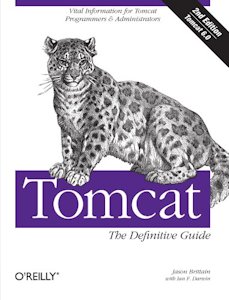 |
recommend book⇒Tomcat: The Definitive Guide | |||||||||||||||||||||||||||||||||||||||||||||||||||||||
| by | Jason Brittain, Ian F. Darwin | 978-0-596-10106-0 | paperback | |||||||||||||||||||||||||||||||||||||||||||||||||||||
|---|---|---|---|---|---|---|---|---|---|---|---|---|---|---|---|---|---|---|---|---|---|---|---|---|---|---|---|---|---|---|---|---|---|---|---|---|---|---|---|---|---|---|---|---|---|---|---|---|---|---|---|---|---|---|---|---|
| publisher | O’Reilly  |
978-0-613-91215-0 | hardcover | |||||||||||||||||||||||||||||||||||||||||||||||||||||
| published | 2007-10-30 | 978-0-596-55494-1 | eBook | |||||||||||||||||||||||||||||||||||||||||||||||||||||
| B0043EWU4S | kindle | |||||||||||||||||||||||||||||||||||||||||||||||||||||||
| For those who administrate the Tomcat server. | ||||||||||||||||||||||||||||||||||||||||||||||||||||||||
| ||||||||||||||||||||||||||||||||||||||||||||||||||||||||
| Greyed out stores probably do not have the item in stock. Try looking for it with a bookfinder. | ||||||||||||||||||||||||||||||||||||||||||||||||||||||||
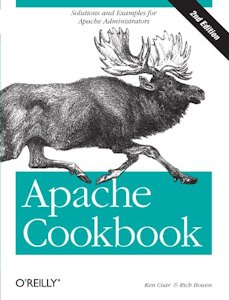 |
recommend book⇒Apache Cookbook: Solutions and Examples for Apache Administrators | |||||||||||||||||||||||||||||||||||||||||||||||||||||||
| by | Rich Bowen, Ken Coar | 978-0-596-52994-9 | paperback | |||||||||||||||||||||||||||||||||||||||||||||||||||||
|---|---|---|---|---|---|---|---|---|---|---|---|---|---|---|---|---|---|---|---|---|---|---|---|---|---|---|---|---|---|---|---|---|---|---|---|---|---|---|---|---|---|---|---|---|---|---|---|---|---|---|---|---|---|---|---|---|
| publisher | O’Reilly |
978-0-596-55156-8 | eBook | |||||||||||||||||||||||||||||||||||||||||||||||||||||
| published | 2008-01-11 | B0028N4WH4 | kindle | |||||||||||||||||||||||||||||||||||||||||||||||||||||
| This is for people who have to administer the server, not who write code to run in it. | ||||||||||||||||||||||||||||||||||||||||||||||||||||||||
| ||||||||||||||||||||||||||||||||||||||||||||||||||||||||
| Greyed out stores probably do not have the item in stock. Try looking for it with a bookfinder. | ||||||||||||||||||||||||||||||||||||||||||||||||||||||||
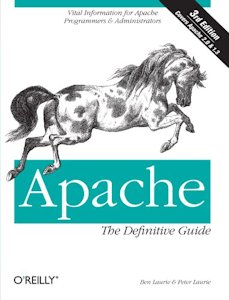 |
recommend book⇒Apache: The Definitive Guide, third edition | |||||||||||||||||||||||||||||||||||||||||||||||||||||||
| by | Ben Laurie, Peter Laurie | 978-0-596-00203-9 | paperback | |||||||||||||||||||||||||||||||||||||||||||||||||||||
|---|---|---|---|---|---|---|---|---|---|---|---|---|---|---|---|---|---|---|---|---|---|---|---|---|---|---|---|---|---|---|---|---|---|---|---|---|---|---|---|---|---|---|---|---|---|---|---|---|---|---|---|---|---|---|---|---|
| publisher | O’Reilly |
978-1-4493-6654-4 | eBook | |||||||||||||||||||||||||||||||||||||||||||||||||||||
| published | 2002-12 | B00BIRRRW8 | kindle | |||||||||||||||||||||||||||||||||||||||||||||||||||||
| For Apache administrators. | ||||||||||||||||||||||||||||||||||||||||||||||||||||||||
| ||||||||||||||||||||||||||||||||||||||||||||||||||||||||
| Greyed out stores probably do not have the item in stock. Try looking for it with a bookfinder. | ||||||||||||||||||||||||||||||||||||||||||||||||||||||||
 |
This page is posted |
http://mindprod.com/jgloss/tomcat.html |
Optional Replicator mirror
|
J:\mindprod\jgloss\tomcat.html | |
 |
Please read the feedback from other visitors,
or send your own feedback about the site. Contact Roedy. Please feel free to link to this page without explicit permission. | |
| Canadian
Mind
Products
IP:[65.110.21.43] Your face IP:[18.221.85.33] |
| |
| Feedback |
You are visitor number | |


